
Consolidating credit card statements means pulling every card's balance, due date, and payment data into one dashboard instead of checking each issuer's app separately. Paired with AI-guided payment recommendations, that single view helps you time payments to avoid interest and late fees while giving you a clearer read on your overall credit health. Most reputable tools that do this use read-only account access and encryption, so the app can see your statements without being able to move your money.
TL;DR:
- Consolidation tools rely on secure, read-only connections or manual uploads to gather balance, due date, APR, and transaction data from all cards.
- Paying the statement balance in full before the due date and scheduling payments at least two days early helps avoid interest and late fees effectively.
- Data refresh delays and unsupported regional or store cards can cause inaccuracies; regularly verify your dashboard against actual issuer statements.
- Enable due-date reminders and balance alerts through your app to prevent missed payments, and review notification settings quarterly.
- Using a dedicated card management app like Finja focuses on interest reduction and payment timing, especially when connected securely and with privacy considerations.
Table of Contents
- How consolidation works: what the app reads and how it connects
- Setting up your dashboard: connecting cards and running your first recommendations
- How AI decides which card to pay first, when, and how much
- Avoiding interest and late fees after you consolidate
- Security, privacy, and when consolidation isn't the right move
- What consolidating payments means for your credit score
- Reviewing and adjusting your payment plan as life changes
- Comparing dashboards and AI payment tools on the market
- Where consolidation tools fall short
- Setting up alerts so nothing slips through
- What consolidation actually changes for the people using it
- How Finja fits into this workflow
- Sources
- FAQ
How consolidation works: what the app reads and how it connects
A consolidated dashboard is only as useful as the data behind it.
When you link a card, the app typically pulls:
- Statement balance and current balance for each card.
- Payment due date and minimum payment amount.
- Annual percentage rate (APR) on purchases, balance transfers, and cash advances.
- Recent transactions, so spending patterns feed into the recommendations.
There are three common ways this data gets into the dashboard. Read-only API or token connectors link directly to your issuer through a secure handshake. They refresh automatically and never expose your login credentials to the app itself, though setup depends on the issuer supporting that connection. Third-party aggregators sit between your bank and the app, often supporting more institutions but adding another party that touches your data. Manual statement uploads work with any card and skip account linking entirely, but you lose automatic updates and have to re-upload monthly.
The distinction between statement balance and current balance matters more than most people realize. The statement balance is what you owed at the close of your last billing cycle, and paying that amount in full by the due date is what avoids interest on purchases. The current balance includes anything you have charged since then. A dashboard that only shows current balance can push you to overpay or misjudge how much you actually owe to dodge interest, a point covered in more detail in statement balance versus current balance.
Setting up your dashboard: connecting cards and running your first recommendations
Before you connect anything, do a little groundwork. Gather recent statements or have your online banking logins ready, use a secure home or personal network rather than public Wi-Fi, and turn on two-factor authentication for the email account tied to your cards, since that inbox is often the recovery point for financial logins.
- Create your account and verify your identity.
- Connect each card account through the app's secure link, or upload recent statements if a card isn't supported.
- Label and group accounts (for example, by issuer or by purpose) so the dashboard reads clearly at a glance.
- Cross-check the imported statement balances against your actual issuer notices to confirm nothing pulled in incorrectly.
- Review the app's first round of payment suggestions before accepting anything automatically.
Once accounts are linked, look at what the app recommends, then either schedule automatic payments or set reminders a few days ahead of each due date. Building in a buffer protects you if a payment takes an extra day to process.
Pro Tip: Reconcile your first month manually against paper or PDF statements before trusting the dashboard fully. It catches mismatched due dates or a card that synced incorrectly.
For a deeper walkthrough of combining multiple accounts into one view, see financial dashboards for multiple cards.
How AI decides which card to pay first, when, and how much
Once your cards are linked, the recommendation engine applies a few consistent rules rather than guessing. It typically prioritizes:
- The highest-APR balance first, since that debt costs the most per day it carries.
- Cards sitting close to their limit, to protect your credit utilization ratio.
- Payments timed to post before the statement closes or the due date hits, whichever avoids interest more effectively.
Here is how that plays out with simple numbers. If your paycheck lands three days after a due date, the app should flag that timing gap early rather than the day before.
Most dashboards also show a confidence indicator next to each suggestion, reflecting how complete or current the underlying data is. A recommendation is only as reliable as the data behind it, according to FTC guidance on fintech transparency, which is why the agency advises evaluating these apps on how clearly they explain what data they use and how. Override the suggestion when you have a pending dispute, an expected refund, or a return in process, since none of those show up in the AI's math until they clear.
Avoiding interest and late fees after you consolidate
Consolidation only pays off if the payments actually land on time. The CFPB is specific about timing: a payment is generally on time if the issuer receives it by 5 p.m. on the due date, or by 5 p.m. the next business day if the due date falls on a weekend or holiday. That gives you a hard deadline to build your dashboard's alerts around, not just a rough target date.
The statement balance versus current balance distinction resurfaces here directly. Per CFPB guidance on credit card statements, paying your statement balance in full by the due date avoids interest on purchases, while paying only the minimum avoids the late fee but leaves the rest accruing interest. Paying the full statement balance each cycle is the single most reliable way to avoid purchase interest, and most AI recommendation engines default to that rule unless a full payoff isn't realistic that month.
A few habits make this easier to execute:
- Schedule payments to post two or three business days before the due date, not on it.
- Use your app's built-in reminder buffer rather than relying on issuer emails alone.
- Align due dates across cards to your pay cycle where the issuer allows it, detailed in managing credit card due dates.
- Favor electronic payments over mailed checks to cut processing lag.
Security, privacy, and when consolidation isn't the right move
Before linking a single card, check what the app actually does with your data. Look for read-only access rather than credential storage, clear encryption standards, and a privacy policy that spells out whether your data is shared with service providers. Under the FTC's Safeguards Rule, covered financial institutions are required to secure customer information and hold their service providers to the same standard, so a legitimate app should be able to point to how it complies.

Privacy trade-offs are worth understanding rather than assuming. Some platforms hold a token that refreshes data automatically; others retain limited data even after you disconnect a card. Ask directly what's stored, for how long, and whether it's shared with anyone beyond the app itself.
Consolidation isn't the right move in every situation:
- Skip it temporarily if you have an active dispute with an issuer, since resolving it may require referencing the original, unmodified statement.
- Hold off if you suspect fraud on an account until the issuer investigation closes.
- Keep original statements on hand when a legal or tax situation requires them, regardless of what the dashboard shows.
Pro Tip: Search for the app's name alongside "data breach" or "security" before connecting anything. The FTC's enforcement history includes cases where fintechs overstated their "bank-grade" security claims.
What consolidating payments means for your credit score
Consolidating your statements doesn't change your credit score by itself; what changes your score is whether you act on what the dashboard shows you. On-time payments and lower utilization are the two levers that move fastest, and both are exactly what a consolidated view is built to protect.
Following AI payment recommendations tends to help credit health indirectly, by making on-time payments and balanced utilization the default rather than something you have to calculate manually each month. That said, the recommendation engine optimizes for interest savings and payment timing, not directly for your credit score, so the two usually move together but not always in lockstep. If you're rebuilding credit specifically, you may want to weight utilization reduction more heavily than the AI's interest-focused suggestion, even if it means paying a lower-APR card down faster than the model would otherwise prioritize.
The safest habit is to treat recommendations as a starting point rather than a final answer, especially in months where your goals shift. For a broader view of the metrics worth tracking alongside utilization and payment history, see credit card financial health indicators.
Reviewing and adjusting your payment plan as life changes
An AI payment plan built around last month's spending won't fit a month where your income drops or a big expense hits. Build a habit of checking your dashboard's recommendations against what's actually happening in your finances, not just accepting whatever the app suggests by default.
A few checkpoints make this manageable. Review your plan right after any income change, whether that's a raise, a lost shift, or a new bill, since the AI's suggestions are only as current as the transaction data feeding it. Revisit prioritization after a big purchase, since a large charge on a low-APR card might temporarily outrank a smaller high-APR balance in the app's math. And check in at least once a quarter even when nothing obvious has changed, since spending habits drift gradually in ways that are easy to miss month to month.
If your income becomes irregular, for example from freelance work or seasonal shifts, tell the app or adjust your own targets rather than letting it optimize around outdated averages. For habits that hold up across multiple cards over time, see multiple credit card management tips.
Comparing dashboards and AI payment tools on the market
Consolidation tools generally fall into two camps: dedicated credit card management apps and general budgeting platforms that added card tracking as one feature among many. Dedicated tools tend to go deeper on payment timing and interest reduction specifically, since that is their core job rather than a side feature. General budgeting apps often cover more financial categories, such as bank accounts, investments, and subscriptions, but their payment recommendations are usually simpler, closer to a due-date reminder than a genuine interest-optimization engine.

Costs vary by model. Some platforms are free and monetize through partner offers or upsells, while others run on a subscription for premium recommendation features. Reviews across this category tend to praise the convenience of a single dashboard and criticize slow account syncing or missing support for smaller regional card issuers, both worth checking before you commit to one platform over another.
The right choice depends on what you're optimizing for. If rewards maximization is your priority, a general budgeting app with card tracking may serve you better. If reducing interest and protecting credit health across several cards is the goal, a dedicated coach built specifically around payment timing and amount recommendations is the more direct fit.
Where consolidation tools fall short
No aggregation tool is perfect, and knowing the common failure points saves you from misplaced trust. Data refresh delays are the most frequent issue: a card you paid yesterday might still show the old balance today, because the connection only syncs on a schedule rather than instantly. Treat the dashboard as a strong guide rather than a live feed of your exact balance at any given second.
Unsupported cards are another gap, particularly with smaller regional banks, store cards, or newer fintech-issued cards that haven't been added to an aggregator's network yet. When a card won't connect, manual statement upload is usually the fallback, though it means you lose the automatic refresh.
Error handling varies widely between platforms. Some apps flag a broken connection clearly and prompt you to reconnect; others fail silently, leaving you with stale data and no warning. Check your dashboard periodically against your actual issuer app or statement, especially in the first few months with a new tool, until you trust its sync reliability. For extra context on the fees and charges that sometimes get missed during a sync error, see hidden credit card charges.
Setting up alerts so nothing slips through
Alerts are what turn a dashboard from a passive summary into something that actually prevents late payments. Start by turning on due-date reminders for every card, set several days ahead rather than the day of, since that buffer absorbs any processing delay.
Next, enable balance-change alerts, so a large or unexpected charge shows up immediately rather than at the end of the cycle. Most dashboards also let you set a recommendation-change notification, which flags when the AI shifts its suggested payment priority, often triggered by a new high-APR balance or a card nearing its limit.
Finally, check your notification channel. Push notifications tend to get seen faster than email, but email creates a paper trail if you ever need to dispute a late fee. Whichever you choose, walk through the app's notification settings once a quarter to confirm alerts are still pointed at the right cards, particularly after adding or closing an account. Aligning due dates to when these alerts actually reach you matters too, covered in moving your due date to match paychecks.
What consolidation actually changes for the people using it
The clearest shift I've seen in how people manage multiple cards isn't the dashboard itself, it's the prioritization. Once someone can see every balance and APR side by side, the decision of which card to pay first stops being a guess and starts being arithmetic. Fewer late payments and a clearer sense of which balance is actually costing the most tend to follow naturally from that.
Recommendations are a strong starting point, not a verdict. When something is contested, a return, a dispute, a refund in transit, check the issuer's own statement before trusting the app's math.
— Grace K.
How Finja fits into this workflow
Some apps are built specifically around this problem: one dashboard that pulls in every card you carry, plus AI-guided recommendations on what to pay, when, and how much, aimed at cutting interest costs rather than chasing rewards. Where a general budgeting app treats your cards as one line item among many, Finja treats them as the entire job.
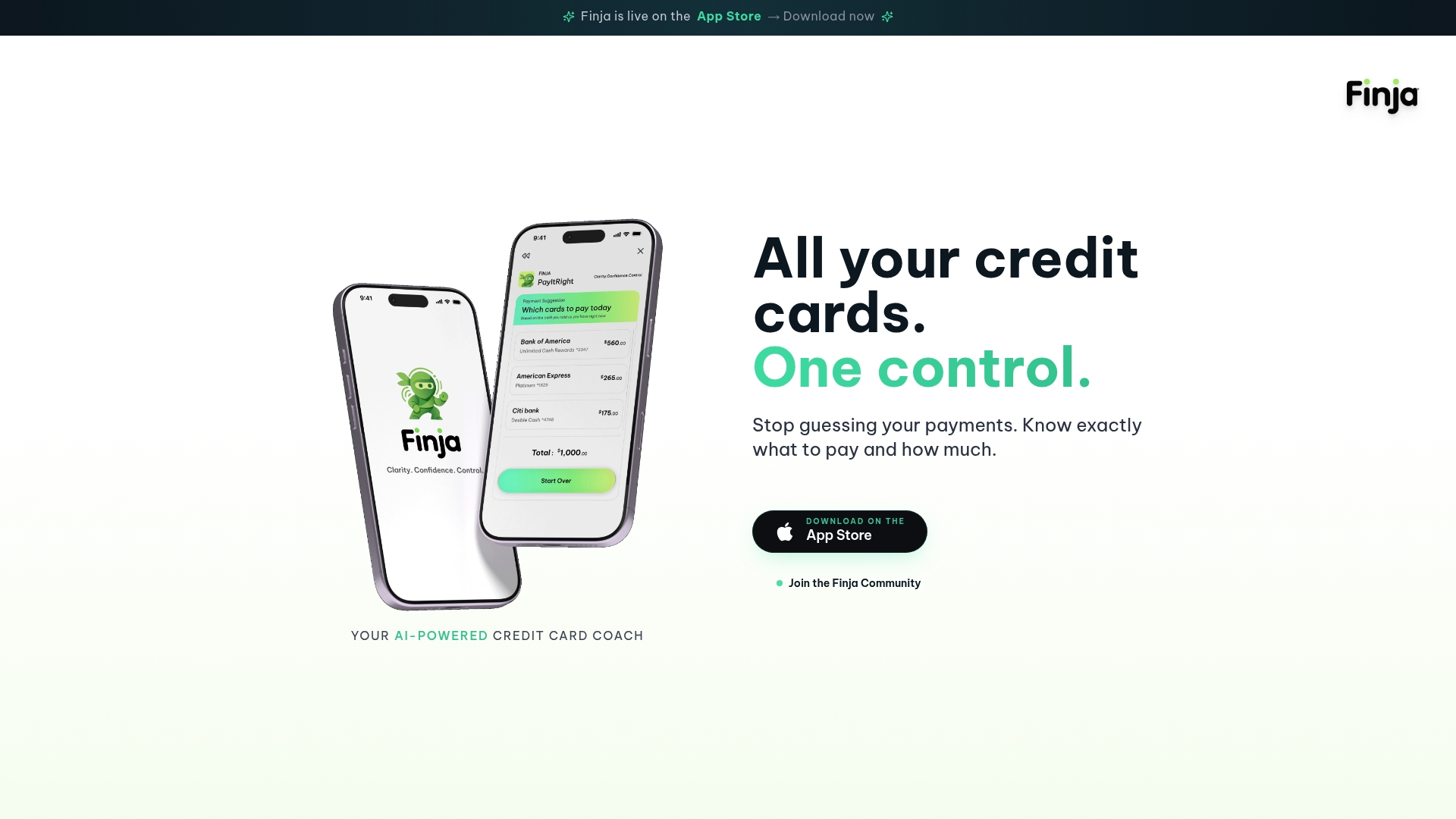
Setting up is meant to be simple, without a learning curve to fight through first:
- Link your cards through secure, read-only access, so the app can see balances without being able to move money.
- Get a first round of payment-timing and amount recommendations based on your actual statements.
- Track credit health indicators like utilization alongside your payment schedule, in the same view.
Before connecting anything, take a minute to review Finja's privacy settings and confirm the read-only access matches what's described above. You can start by exploring Finja's AI-powered credit card coach and running your first consolidation.
Sources
- When is my credit card payment considered to be late? | Consumer Financial Protection Bureau
- Fintech guidance | Federal Trade Commission
FAQ
What does it mean to consolidate credit card statements?
It means combining the balances, due dates, and payment data from every card you carry into a single dashboard, rather than checking each issuer's app separately. Paired with AI recommendations, that view also suggests how to time and size your payments to reduce interest.
Is it safe to connect my credit card accounts to a consolidation app?
Reputable apps use read-only access and encryption, meaning the app can view your statements but cannot move money or access your login credentials directly. Check that the provider follows security practices consistent with the FTC's Safeguards Rule before connecting any account.
What's the difference between statement balance and current balance?
Your statement balance is what you owed when your last billing cycle closed, and paying that in full by the due date avoids interest on purchases, per CFPB guidance. Your current balance includes anything charged since then, which is why the two numbers rarely match.
How does the CFPB define a late credit card payment?
A payment is generally considered on time if the issuer receives it by 5 p.m. on the due date, or by 5 p.m. the next business day if the due date falls on a weekend or holiday, according to the CFPB. Building a few days of buffer into your payment schedule protects you from this deadline even if processing takes longer than expected.
Does following AI payment recommendations improve my credit score?
Following recommendations tends to support your score indirectly, since on-time payments and lower utilization are the two factors that move it fastest, and both are what a consolidated dashboard is designed to protect. The AI itself optimizes for interest savings and timing, so it's worth checking that its suggestions align with your specific credit goals rather than assuming the two always match exactly.