
To cap spending by category, pull three months of statements from every card, total each category, set a limit slightly below your average, and check it on a fixed day each week. With several cards, the hard part is seeing one category's spending in one place. That is why we built Finja to show all your cards together and give you budgeting tools and spending limit controls on top of that view.
This guide covers the full routine: how to choose categories, how to set a number for each, how to track across cards, what to do when a cap breaks, and how often to adjust.
TL;DR
- Start from what you actually spent. Average the last three months of statements for each category, then trim gradually instead of slashing.
- Use roughly eight to twelve categories. More detail only helps if it changes a decision.
- Track every card together. A cap on groceries means nothing if half the grocery spending sits on a card you forgot.
- When a cap breaks, move money from another category instead of abandoning the plan.
- Review on the same day every week at first, then weekly or monthly once the habit holds.
Table of Contents
- Why category caps work better than one total limit
- Choose your categories first
- How to set a realistic cap for each category
- Tracking caps across multiple credit cards
- What to do when you hit or exceed a cap
- Tools and habits that keep you inside the lines
- How often to review and adjust
- Our perspective
- Put your caps on one screen
- FAQ
- Sources
Why category caps work better than one total limit
A single monthly number tells you when you have overspent, but not where. A category cap tells you which habit is responsible while there is still time to change it. The Consumer Financial Protection Bureau (CFPB) suggests logging your spending to get a realistic picture of an average month, from utilities and housing to eating out and entertainment. The cap is simply the next step: a number attached to each line of that log.
Caps matter more when you carry multiple credit cards. Spending scatters across accounts with different statement dates and due dates, so a category can drift without any single card looking alarming. Interest costs follow the same pattern: a balance you carry on any card costs money, so overspending in a flexible category like dining out can quietly become a debt problem.
Choose your categories first
Before any numbers, decide what you are capping. Too few categories hide problems. Too many make the routine tedious, and you will quit. A reasonable working set is eight to twelve categories, such as housing, utilities, groceries, transport, health, household purchases, dining out, entertainment, subscriptions and personal care. Add a category only when the detail supports a real decision.
A useful split is fixed versus flexible:
- Fixed or near-fixed: housing, utilities, insurance, minimum debt payments. You can renegotiate these, but you cannot cap them week to week.
- Flexible: groceries, dining out, entertainment, subscriptions, clothing, gifts. These are where caps do their work.
NerdWallet's budgeting guide puts necessities at about 50% of after-tax income, including groceries, housing, basic utilities, transportation, insurance, minimum loan and credit card payments, and child care. Insurance is a good example of a category people forget until a bill arrives. If you are setting up your first place, a renters insurance checklist helps you decide what belongs in the necessities column before you set any flexible caps.
A reality check from national spending data
It helps to know what typical households spend, as long as you treat it as context and not a target. The Bureau of Labor Statistics reports that average annual expenditures for U.S. consumer units were $81,905 in 2025. Housing averaged $27,790, transportation $13,492, food $10,633, healthcare $6,470 and entertainment $4,084. The prior year's release shows $78,535 in 2024, so the totals have moved up.

Your household is not an average. Use these figures only to spot a category that looks wildly out of proportion, then let your own statements decide the cap.
How to set a realistic cap for each category
The best cap is one you will actually keep. Here is the process, step by step.
Step 1: Gather three months of real data
Pull statements from every credit card and every bank account you spend from. Fidelity advises examining credit and debit statements, including one-off purchases and recurring charges like streaming services and fitness apps, and also checking peer-to-peer payments through apps such as Venmo, Zelle, Cash App, Apple Cash or Google Pay. Those payments are easy to miss, and they often hide restaurant splits and small shared costs.
Where it goes wrong: using one month. A single month may include an annual insurance premium, a holiday or a repair. Three months smooths that out.
Step 2: Categorize and average
Add up each category for each month, then average the three totals. Past behavior is a pretty reliable indicator of future behavior, which is why the baseline matters more than a wish. Most major issuers already classify purchases, and NerdWallet notes that cardholders can see a category snapshot online, with annual and custom reports available from most issuers. Issuer labels are imperfect, though. A warehouse-club trip may land in "merchandise" when half of it was groceries, so skim the labels and correct them.
Step 3: Start from the average, then nudge
Do not set a cap at your dream number. Fidelity recommends avoiding unrealistic limits and favors subtle nudges over radical changes. Its example: to cut eating out from $1,000 a month to $500, reduce it by $100 a month over five months instead of halving it at once.
So your first cap for a flexible category can equal your average. Your second month's cap can be a small step below. Your fixed categories get their actual amounts.
Step 4: Check the total against your income
Use take-home pay, not gross. The CFPB's worksheet describes the 50/20/30 rule: 50% of take-home pay for needs, 20% for savings and debt payments, and no more than 30% for wants. The same document says you can choose your own personal rule to fit your situation, and a CFPB classroom guide on budgets and net income repeats that the percentage split is one rule among many. Use it as a sanity check on your caps, not as a verdict. For a closer look at where percentage rules help and where they strain, see our piece on the 50/30/20 budget rule.
A few other benchmarks exist for specific categories. A Montana State University Extension guide notes that lenders usually look for a housing payment no higher than 28% of gross income, with total obligations no higher than 33 to 36% of gross monthly income. The same guide suggests that what you owe on credit purchases should not exceed 20% of annual take-home pay, excluding a mortgage. If your card balances are near that line, tighter flexible caps are the fastest way to bring them down.

Step 5: Add a buffer
People forecast ordinary spending reasonably well but underestimate irregular costs. Build a small buffer category for gifts, repairs, car registration and the like, so one surprise does not break three caps. Set the overall cap first, then predictable costs, then variable caps, then the buffer.
A worked example
Suppose your last three months of groceries came to $620, $580 and $660. The average is $620. A cap of $620 is honest. If you want to push, trimming 5% gives about $589. Dining out averaged $340, so a first cap of $340, then $300, then $260 follows the gradual approach. None of these numbers is a recommendation for your household. They show the method: baseline first, small steps second.
Tracking caps across multiple credit cards
This is where most category budgets fail. One card's app shows that card's categories. Another shows its own. Your bank shows debit spending. Nobody shows the total for groceries across all of them, so you add it up by hand, then stop doing it by week three.
The manual route works like this:
- Log into each issuer's site or app and open its spending summary. Chase, for example, offers a spending report tab online and a spending summary tab in its mobile app.
- Export or copy category totals into one sheet.
- Fix mislabeled transactions.
- Compare each category to its cap.
It takes real time, and cards with different statement dates make the monthly totals line up badly. Our guide on category budgets that respect card timing explains why a calendar-month cap and a statement-cycle cap can disagree, and our piece on budgeting with three or more cards shows how to sync caps to your paychecks.
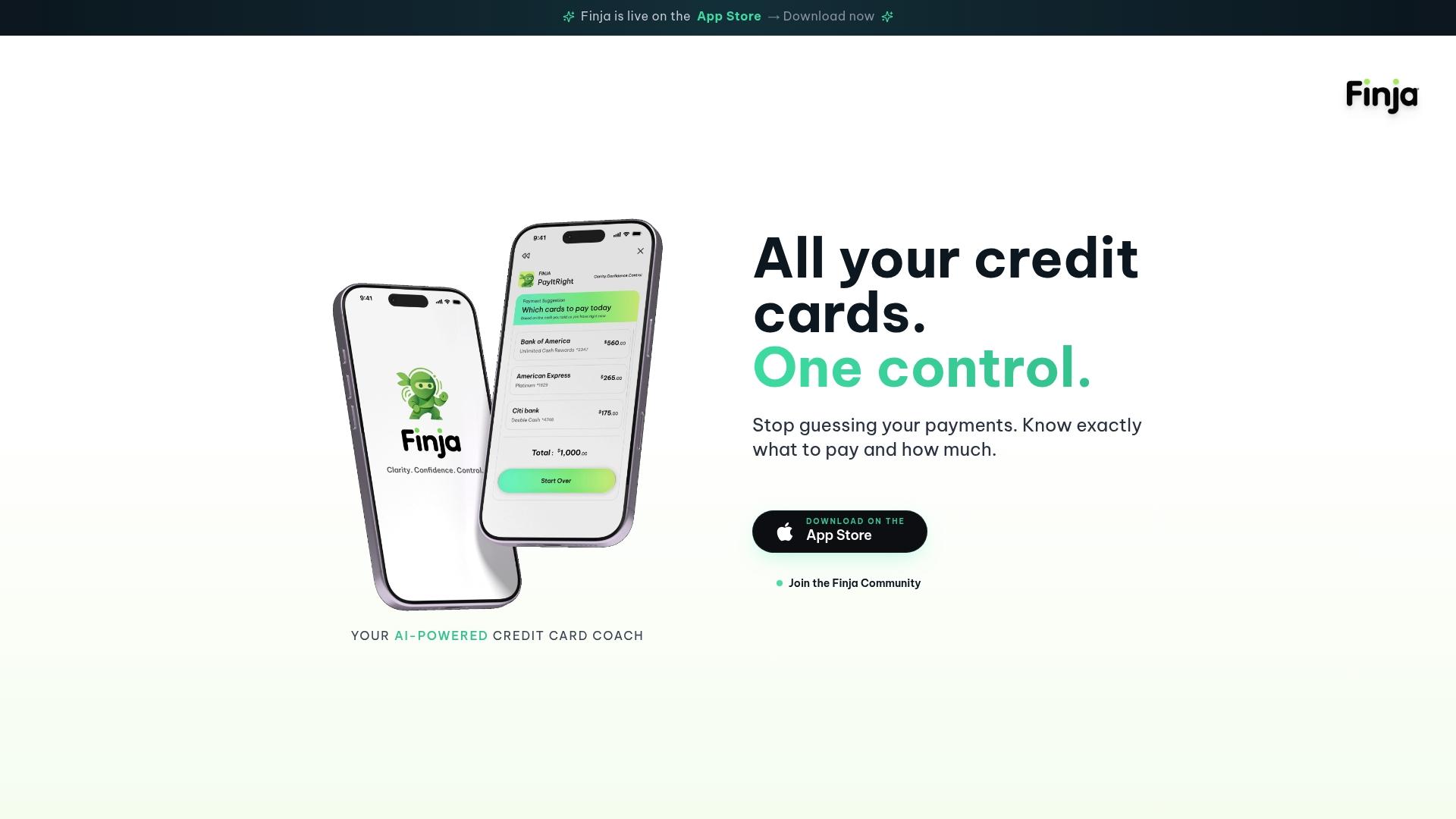
This is the job Finja is built for. The app displays all your cards in one place, so a category total is not something you rebuild from four statements. It also adds budgeting tools and spending limit controls, and its AI guidance covers payment timing and amounts so that staying inside your caps and paying down interest work together.
Card-level limits as a second guardrail
Category caps are a plan. Card limits are a fence. NerdWallet describes a simpler variant: set a monthly spending limit on your card. If you budgeted $1,000 for weekly expenses like groceries, gas and clothing, put them on one card and keep that balance below $1,000, adjusting for irregular costs such as a six-month car insurance premium or a vacation. Pairing a dedicated card with a category cap gives you a hard number you can see at a glance. Our walkthrough on setting credit card spending limits in 5 steps covers this in detail.
What to do when you hit or exceed a cap
You will break a cap. Planning for it keeps one bad week from ending the whole budget.
The principle is to keep the total plan unchanged. If groceries run $50 over, lower another category by $50. A sensible order for where the money comes from:
- Real unspent slack in another category, such as a month with no entertainment spending.
- Your buffer category.
- Next month's cap for the same category, if the overspend was a one-off timing issue.
- A flexible category you can still steer, such as dining out.
This reallocation sequence comes from Budget44's overspending guide. The same guide cites research on how people spend roughly twice what they predict on exceptional expenses, because each feels like a unique event. The practical lesson: budget for the class of surprises, not each individual surprise.
If you hit a cap early in the month, do not treat the rest of the month as free. Decide now: which category gives, and by how much? Write it down. Then, if the overspend repeated for three months in a row, the cap was unrealistic. Raise it and cut elsewhere, as the Fidelity guidance on nudges instead of shoves suggests: adjust a category or two each month instead of rewriting the whole plan.
Tools and habits that keep you inside the lines
The habits matter more than the app, but a few mechanics help:
- Alerts. NerdWallet recommends account alerts and notifications, temporarily locking a card to curb impulse spending, and automatic payments for recurring bills. Our guide to credit limit alerts shows how to set thresholds that warn you before a cap is gone, not after.
- Automate fixed bills. If rent, utilities and minimum payments are automatic, your attention goes to the flexible categories.
- Plan for impulses. The CFPB advises that if you are prone to impulse spending, make a plan that is doable, and that budgeting with trusted family and friends, or having them listen when you struggle, makes it easier to stick with.
- Watch for fraud. More cards means more places for an odd charge to hide. A category dashboard helps you spot it, and our overview of fraud alert types for multi-card users explains what each alert means.
How often to review and adjust
When you are starting out, check weekly. Fidelity says budgeting works best when you enter spending consistently, tracking as often as weekly at first and then, for the long term, setting aside the same time each week or month and putting it on your calendar. NerdWallet adds that if you run a weekly or monthly budget, you should check card activity at least that often, picking a specific day to total each category.
A simple rhythm:
- Weekly, 10 minutes: compare each flexible category to its cap. Move money if needed.
- Monthly, 30 minutes: review all caps, fix mislabeled transactions, and nudge one or two caps up or down.
- Every few months: revisit the whole structure. NerdWallet suggests checking your budget every few months and adjusting if needed. A raise, a move, a new child or a rate change all justify a reset.
Frequent review has a side benefit. NerdWallet's Funto Omojola notes that tracking this way can also produce a yearly spending report, which saves time at tax season.
Our perspective
Most people who ask how to cap spending by category already know what they should cut. What they lack is a single, trustworthy picture. When your spending lives on four cards with four statement dates, every cap is a guess until you add the numbers by hand, and few people keep doing that.
We built Finja around that problem. It is a credit card coach, not a general budgeting tool. It puts all your cards in one view, so a category total is something you read, not something you reconstruct. Then it pairs that clarity with budgeting tools, spending limit controls and AI guidance on when and how much to pay, because the goal of a cap is lower interest cost and healthier credit, not a prettier chart.
Our advice is to cap fewer categories, start from your real averages, and tighten slowly. A cap you keep at 90% beats a perfect cap you abandon in week three.
Grace K.
Put your caps on one screen
If you carry several cards and want your category limits, balances and payment decisions in one place, Finja is our AI-powered credit card coach. It shows all your cards together, offers payment timing and amount guidance aimed at reducing interest, and includes budgeting tools and spending limit controls. You can start at Finja.
For a wider view of how caps fit into a full plan, our guides on a credit card data-driven spending plan and a credit card financial control system walk through the next layers, and the credit health indicators guide shows which numbers to watch as your caps start working.
FAQ
How many spending categories should I cap?
Start with roughly eight to twelve. Add a category only when the extra detail changes a decision, such as splitting groceries from household supplies because one keeps running over. Too many categories make the weekly check slow enough that you stop doing it.
Should I use the 50/30/20 rule to set my caps?
Use it as a sanity check on your totals, not as the cap itself. The CFPB describes a 50/20/30 version, with needs at 50%, savings and debt payments at 20% and wants at no more than 30% of take-home pay, and says you can pick a personal rule that fits your situation. Your own three-month averages should set the individual caps.
What if I go over a cap before the month ends?
Move the same amount out of another category so the total plan stays intact, starting with unspent slack or your buffer. If the same category overshoots three months running, raise its cap and cut elsewhere, because the original number was probably unrealistic. Our guide to credit limit alerts can help you catch it earlier next time.
How do I cap spending by category when I have several credit cards?
Combine all cards and accounts into one view before you compare against a cap, either by pulling each issuer's category report into a sheet or by using an app that shows every card together. Finja displays all your cards in one place for this reason. Align your review day to your paycheck or statement dates so the totals match your cash flow.
How often should I change my caps?
Check them weekly while you build the habit, review them monthly, and restructure every few months or after a major life change. Small, regular adjustments last longer than big rewrites.
Sources
- Budgeting: How to create a budget and stick with it (CFPB)
- My spending rule to live by (CFPB)
- Learning about budgets (CFPB)
- Consumer Expenditures Summary, 2025 A01 Results (BLS)
- Consumer Expenditures News Release, 2024 A01 Results (BLS)
- Developing a Spending Plan (Montana State University Extension)
- How to budget in 7 simple steps (Fidelity)
- How to Use Credit Cards to Manage Your Budget (NerdWallet)
- How to Make a Budget: A Step-By-Step Guide (NerdWallet)
- Family Budget Categories 2026
- Budgeting Guide: How to Budget Money
- What to Do When You Overspend a Budget Category