
A credit card spending limit is the maximum amount you or an authorized user can charge, either per transaction or over a set period, and it's usually a self-imposed control that sits below your actual credit limit. Open your issuer's app right now and look for "card controls" or "spending controls" to check what's already active. Under the CARD Act of 2009, issuers need your opt-in before charging over-limit fees, so most declined charges cost you nothing but inconvenience.
TL;DR:
- Most credit cards have a spending limit set by the issuer, which is separate from the overall credit limit and can be tailored to specific categories or transactions.
- Open controls like per-transaction, daily, or monthly limits help prevent runaway spending and can be easily adjusted via your card issuer’s app or website.
- Requesting a credit limit increase may involve a hard inquiry, but calling before applying online can help you verify if it will impact your credit score.
- Keeping utilization below 30 percent, ideally around 10 percent, is key to boosting your credit score, especially when planning larger purchases.
- If you go over your limit and haven't opted in for over-limit fees, most transactions will simply be declined without charges.
Table of Contents
- Credit Limit vs. Spending Limit: What's the Difference?
- How Do Issuers Decide Your Credit Limit?
- How to Set or Change Your Card's Spending Limits
- Does a Higher Credit Limit Help Your Credit Score?
- What Happens if You Go Over Your Limit?
- Smart Habits for Managing Limits Across Multiple Cards
- Start Simple, Then Automate
- Where This Information Comes From
- Sources
- FAQ
Credit Limit vs. Spending Limit: What's the Difference?
Your credit limit is the ceiling your issuer sets for the account. Available credit is what's left after purchases and pending authorizations. A spending limit is a narrower rule you (or your issuer's app) apply on top of that ceiling, often to control a specific card, person, or category.
Common spending limit types include:
- Per-transaction limits: cap a single purchase amount, useful for shared or business cards.
- Daily or weekly limits: reset on a schedule and help catch runaway spending fast.
- Monthly limits: align with your billing cycle and work well for budgeting.
- No-preset-limit cards: flexible charge cards that adjust based on your payment history and spending patterns rather than publishing a fixed number. Yahoo Finance's breakdown of flexible spending limits notes these cards aren't actually unlimited. Issuers can and do restrict them.
A pending authorization (like a hotel hold) can temporarily eat into your available credit even before the final charge posts, which is why your limit and your available credit rarely match exactly.
How Do Issuers Decide Your Credit Limit?
Issuers weigh your credit score, income, payment history, how long you've held accounts, and how much debt you're already carrying elsewhere; for more industry insight, see Kredito paslaugos. A thin credit file or a recent late payment usually caps what you're offered, even with solid income.
Issuers also apply aggregate caps across their own products. If you hold two cards from the same bank, your combined exposure often factors into decisions on either account. Reviews happen two ways:
- Automatic reviews: triggered periodically based on your payment behavior, sometimes raising your limit without you asking.
- Manual requests: you ask for a credit limit increase directly, which can trigger a hard inquiry depending on the issuer.
Pro Tip: Call before applying online if you're not sure whether a limit increase request triggers a hard pull. Some issuers show you the inquiry type before you confirm.
How to Set or Change Your Card's Spending Limits
Most major issuers put spending controls in the same place: log into your account or app, then look for "card controls," "spending limits," or "manage card." PayPal's spending limit tool and Chase's card management pages both follow this same basic structure.
Here's how to set one up:
- Log into your issuer's app or website and find the card controls section.
- Choose the limit type you want. Per-transaction, daily, or monthly.
- Enter your cap and confirm. Some apps require a follow-up verification step.
- Turn on alerts so you get a text or push notification near your threshold.
- For authorized users, apply limits at the participant level rather than the primary account.
Apple Card Family lets an account owner set individual transaction limits and lock a participant's card instantly through Wallet. Note that a participant limit usually doesn't reduce the primary account's total liability. You're still on the hook for the full balance, so keep watching your overall spending even after you cap someone else's card.
Pro Tip: If your issuer's app doesn't offer granular controls, call customer service. Many banks can apply temporary caps manually even when the self-service tool can't.
Does a Higher Credit Limit Help Your Credit Score?
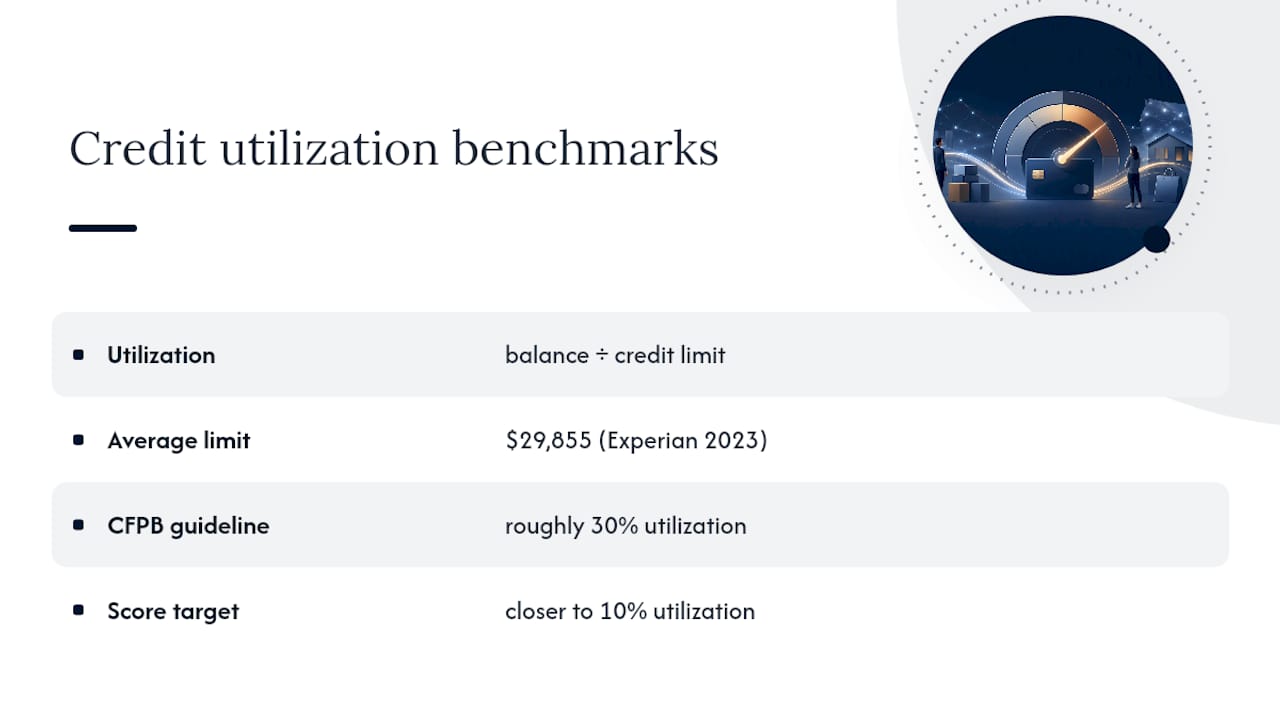
Utilization is your balance divided by your credit limit, and it's one of the more heavily weighted factors in most scoring models. A higher limit, with the same balance, automatically lowers your utilization percentage.
The average U.S. credit card limit sits at $29,855, according to Experian's 2023 data. The CFPB recommends keeping utilization under roughly 30%, and aiming closer to 10% tends to help more if your goal is maximizing your score rather than just avoiding damage.
Before a large purchase, check your statement date. Charging right before it closes can spike your reported balance even if you pay it off days later. Paying down balances mid-cycle, rather than waiting for the due date, keeps your reported utilization lower.
What Happens if You Go Over Your Limit?
Under the CARD Act of 2009, issuers must get your explicit opt-in before charging an over-limit fee. Most cardholders never opt in, so the far more common outcome is a straightforward decline at checkout, not a surprise fee.
Other things that can happen:
- Your transaction gets declined outright, with no charge and no fee.
- A pending hold (hotels, rental cars, gas pumps) temporarily reduces available credit even below your stated limit.
- If you did opt in, you could see a fee, though this is now rare across major issuers.
Call your issuer before a big purchase if you're near your limit. A quick temporary increase or a split payment across two cards solves the problem faster than an awkward decline at the register.
Smart Habits for Managing Limits Across Multiple Cards
Set alerts on every card, not just the one you use most. A $50 threshold notification catches problems before they become patterns. Align big purchases with your billing cycle so they land right after your statement closes, giving you a full cycle to pay them down before they hit your utilization.
Look for these features when choosing a card or app to manage controls:
- Category blocking (restrict gas, dining, or online purchases separately).
- Per-user participant limits for family or business cards.
- Monthly spending caps that reset automatically.
- Real-time alerts tied to specific dollar thresholds.
Juggling these settings across four or five cards manually gets messy fast, which is where a data-driven spending plan earns its place. An AI-powered platform can pull every card into one view, flagging when a balance approaches a limit and suggesting which card to pay down first to keep utilization low across your whole portfolio. For readers managing several cards at once, Finja's multi-card management guidance covers the tactical side in more depth.
Pro Tip: Review every card's controls on the same day each month, right after your statement closes. It takes five minutes and catches drift before it becomes a habit.
Start Simple, Then Automate
My honest read after digging into how issuers actually build these tools: most people over-engineer spending limits before they've even turned on alerts. Start with one per-transaction cap and a text notification. That alone catches most problems.
Once you're managing three or more cards, a manual system starts to crack. That's the point where an automated spending plan, checked monthly against your issuer settings, actually earns its complexity. Review your controls the same way you'd check your smoke detector batteries: on a schedule, not just when something goes wrong. If you're at that stage, AI-powered credit card management tools may be worth exploring.
— Grace K.
Where This Information Comes From
The CFPB's utilization guidance, Experian's limit data, and issuer support pages from Apple and Stripe's developer docs informed the setup steps above.
This article is general information, not a substitute for advice from a qualified financial advisor. Consult a qualified financial professional about your own circumstances before acting on anything here.
Sources
- What is the average credit limit on a credit card? | Experian
- CFPB overview of the CARD Act's effects | Consumer Financial Protection Bureau
FAQ
What credit limit can I expect with a $100,000 salary?
There's no fixed formula. Issuers weigh income alongside your credit score, existing debt, and payment history, so two people with similar incomes can receive very different limits.
Is there an absolute limit on how much you can charge on a credit card?
Yes, your issuer sets a credit limit, and charging beyond it usually triggers a decline rather than approval, unless you've opted into over-limit fees under the CARD Act.
Is a $20,000 credit limit considered high?
It's well above the average U.S. limit of $29,855 combined across cards is closer to typical, so a single card limit above the average U.S. limit of $29,855 is solidly above-average territory for most consumers, though it varies by card type and issuer.
What credit limit is typical for a $70,000 salary?
Income is one input among several, and issuers blend it with your credit score and debt load, so there's no set number tied to any specific salary.
How do I check my current spending limit?
Log into your issuer's app or website and look for "card controls" or "spending controls," where most banks display any active limits alongside your overall credit limit.