
To budget by billing cycle, start each budget period on the day after your card's statement closing date and end it on the next closing date. Count every purchase once, in its category. Then schedule the card payment as a separate cash-flow event before the due date. That way the money you plan to spend matches the statement you will actually owe.
It sounds fussy, but it fixes a common problem. A calendar-month budget says you spent $1,800 in March. Your March statement says $2,150, because it also holds purchases from late February. Budgeting by cycle closes that gap.
TL;DR
- A billing cycle is the stretch between two statement closing dates, usually 28 to 31 days. Your budget period can follow it instead of the calendar month.
- Find each card's closing date on your statement or in your online account, then set the budget to start the next day.
- Count a purchase once, in its category. The payment from checking is a transfer, not more spending.
- With several cards, put every closing date, due date and payday on one calendar. Cycle budgeting works best when the cycles are visible together.
- If the dates clash with your paychecks, many issuers let you move the due date, though usually with limits.
Table of Contents
- What a billing cycle is and how its dates fit together
- Billing cycle, calendar month or pay period: which budget fits
- Find your closing date and set the cycle
- Avoid counting purchases twice
- Budget several cards without losing track
- Line the cycle up with your paychecks
- Payment timing: due date versus closing date
- A cycle checklist you can reuse
- Put your cycles on one screen
- FAQ
- Sources
What a billing cycle is and how its dates fit together
A billing cycle is the period between statements. TD describes it as starting the day after the previous closing date and ending on the next closing date, when the issuer calculates your statement balance. Chase and American Express both put typical cycles at 28 to 31 days.
Three dates matter:
- Cycle start: the day after the last closing date.
- Closing date: the last day of the cycle. Purchases posted by then land on that statement.
- Payment due date: the deadline for at least the minimum payment, which comes after the statement is issued.
The rules behind this are specific. Under Regulation Z, cycle intervals must be equal, and a cycle counts as equal if its length varies by no more than four days. The OCC's consumer help site adds that the due date must fall on the same day each month. It also says the statement must reach you at least 21 days before that date.
So a cycle is not always 30 days. Some are 28, some 31, and the closing date can shift slightly from month to month.

Billing cycle, calendar month or pay period: which budget fits
There is no single correct budget period. Each choice measures something different.
| Approach | What it matches | Best fit | Weak spot |
|---|---|---|---|
| Calendar month | Rent, utilities, salary deposited once a month | One card, simple income, bills that land on the 1st | Statements rarely end on the 31st, so card totals never match the budget |
| Pay period | Your paychecks | Biweekly or twice-monthly pay, tight cash flow | Each paycheck funds bills from different cycles |
| Billing cycle | The statement you will owe | Paying the card in full, avoiding interest, tracking utilization | Several cards means several periods that overlap |
A practical rule: use the billing cycle for how much you can charge, and the pay period for when the payment leaves your account. The cycle tells you what the statement will say. Your paychecks tell you whether the account will hold enough to pay it.
If you have one card and a statement that closes near the end of the month, a calendar budget is fine. The cycle approach pays off when the closing date sits mid-month, when you carry balances on more than one card, or when you want the statement balance to match your plan.
Find your closing date and set the cycle
NerdWallet explains that the closing date appears on your statement in one of three ways: as the end of a "Billing period" range, next to the statement balance, or as a labeled "Statement closing date." It is often shown near a due date 21 to 30 days later. You can also check the current cycle's closing date by signing in to your online account, as American Express notes.
Then build the budget in five steps:
- Write down the closing date and due date for each card. Add the minimum payment and the credit limit.
- Start the budget period the day after closing. If a card closes on the 14th, the cycle runs from the 15th through the 14th of the next month.
- Set a spending ceiling for the cycle. Base it on what you can pay when the statement arrives, not on the credit limit.
- Split the ceiling into categories. Chase suggests tracking by category, such as food, utilities and transportation, using records, receipts, account activity or issuer budgeting tools.
- Schedule the payment. Put the due date on your calendar and make sure the money is in checking before it.
If you want tighter control mid-cycle, Chase notes that card spending limits can be set daily, weekly or monthly to help you stay inside a household budget. Our guide to category budgets that respect card timing walks through how to split a cycle ceiling in more detail.
A worked example
Say your card closes on the 14th and is due on the 8th of the following month. Your take-home pay arrives on the 1st and the 15th. You decide $1,600 is the most you can comfortably pay on this card each cycle.
- Cycle: 15 March to 14 April.
- Ceiling: $1,600, split into groceries $500, gas $200, dining $250, subscriptions $120, other $530.
- Statement: issued after 14 April, with the due date on 8 May.
- Payment source: the 1 May paycheck, set aside in checking and paid before the 8th.
By the 14th of the month you are no longer guessing at the statement. You can see it building as you spend.
Avoid counting purchases twice
The most common error in cycle budgets is counting the same dollars twice. You log a $60 grocery run on the card, then log the $1,900 statement payment as spending too. Your budget now claims more spending than you did.
The fix is simple. RVA SimpleBudget's guidance is to count the purchase once in its category and treat the later payment from checking as a transfer, not a second purchase. BudgetingPro frames it as three separate questions:
- Spending: what did I buy?
- Cash flow: what entered or left my bank account?
- Debt: what do I still owe?
Keep those three views separate and the totals stay honest. The payment shows up in your cash calendar, the purchases show up in your categories, and the balance shows up under debt.
Budget several cards without losing track
One cycle is easy. Three cycles, each closing on a different day, are where budgets fall apart. TD's advice for multiple cards is to track each card's billing dates separately. You can pick a card for a purchase based on its cycle, but only while staying inside your overall budget and credit limits.
For tracking, InCharge suggests a simple spreadsheet or calendar reminders. For each account, list:
- the creditor's name and current balance
- the due date and minimum payment
- the APR
- the payment you have scheduled
A workable routine for several cards:
- Pick one master budget period. Most people use the calendar month or the pay period, and track each card's cycle inside it.
- Add closing dates, due dates and paydays to one calendar. A guide from CRF Consultants recommends this, then assigning each bill to a paycheck.
- Set autopay for at least the minimum. Consider the full statement balance if your cash flow reliably covers it.
- Keep a running unpaid-balance figure. If you pay in pieces, it is easy to lose track of what is left. Chase warns that multiple payments need a clear budget, and that autopay for the remaining balance can help.
Those last two habits matter most when your payment frequency changes. If you are weighing how weekly, biweekly or monthly payments shape cash flow, cash-flow planning calculators can help you model it before you commit.
For a fuller routine, see our multiple credit card management tips and the guide to budgeting with three or more cards by syncing to paychecks.
Line the cycle up with your paychecks
You cannot choose the length of your billing cycle, but you can often move the due date. CNBC Select reports that changing the due date shifts your cycle dates too. Many issuers offer a menu of dates, but you generally cannot change it every month, and it can take a cycle or more to take effect. Citi Double Cash, for example, allows one change every 90 days. Capital One adds that you should keep monitoring the account after a change.
A few practical points:
- Keep paying on the old date until the new one appears on a statement.
- Expect an odd first cycle. A due date change can stretch or shorten one cycle, so the first statement after it may differ from the usual size.
- Aim to stagger. Put one card's due date after each paycheck so no single payday carries every payment.
Once due dates are settled, Experian's guidance is that paying by the due date is the safest baseline. Paying in full by then generally avoids interest when the card's grace period applies. Autopay can be set to the minimum, the full balance or a fixed amount, with reminders and alerts on top.
Payment timing: due date versus closing date
Budgeting by cycle also makes it easier to think about two different deadlines.
- The due date is what keeps you on time. The CFPB says paying at least the minimum by the due date shown on your statement is what counts as on time.
- The closing date is when the statement balance is set. TD notes that paying before closing can lower the balance that gets reported, and paying early can reduce interest if you carry a balance.
If you are trying to bring utilization down, a payment before the closing date is worth planning into the cycle budget. Chase says keeping utilization below 30% is generally advised, and that is a separate measure from your spending budget. Our guides on lowering utilization within one or two billing cycles and statement balance versus current balance cover the mechanics. If you are unsure whether to pay for fees, interest or score, see when to pay your credit card.
Two more things keep a cycle budget accurate. Payments take time to post, so build in a buffer. Our explainer on how long payment posting takes shows why. Recurring charges also creep into every cycle, so tracking subscription charges belongs in the plan. And when cash is short across cards, you can decide which card to pay first using statement timing.
A cycle checklist you can reuse
Once a month, or whenever a statement arrives:
- Confirm the closing and due dates have not moved. Small shifts are normal within Regulation Z's four-day tolerance.
- Compare your tracked spending to the statement. Investigate any difference.
- Check that the payment is scheduled and the money is in checking.
- Reset the ceiling for the next cycle based on your income and any carried balance.
- Review alerts. Capital One recommends alerts for purchases, statements, credit limits and payment dates.
Our perspective
Most budgeting advice treats credit cards as one more category. We see them differently. A card has its own clock, and the statement closing date is the moment your spending turns into a bill. If your budget follows a different clock, you will always feel a few hundred dollars behind.
We built Finja around that idea. It is meant to work as a dedicated credit card coach rather than a general budgeting tool. It puts all your cards in one place and gives AI-powered guidance on when to pay and how much, with the aim of reducing interest and improving credit health.
Our view is that people with several cards do not need more categories. They need to see every cycle at once, so the next decision is obvious. That is the idea behind everything we design.
Grace K.
Put your cycles on one screen
Tracking three or four closing dates by hand works until a busy month breaks the routine. Finja is built for people with multiple credit cards. It shows your accounts together and gives guidance on payment timing and amounts, aimed at reducing interest costs and improving credit health. You can see how it works at Finja, your AI-powered credit card coach.
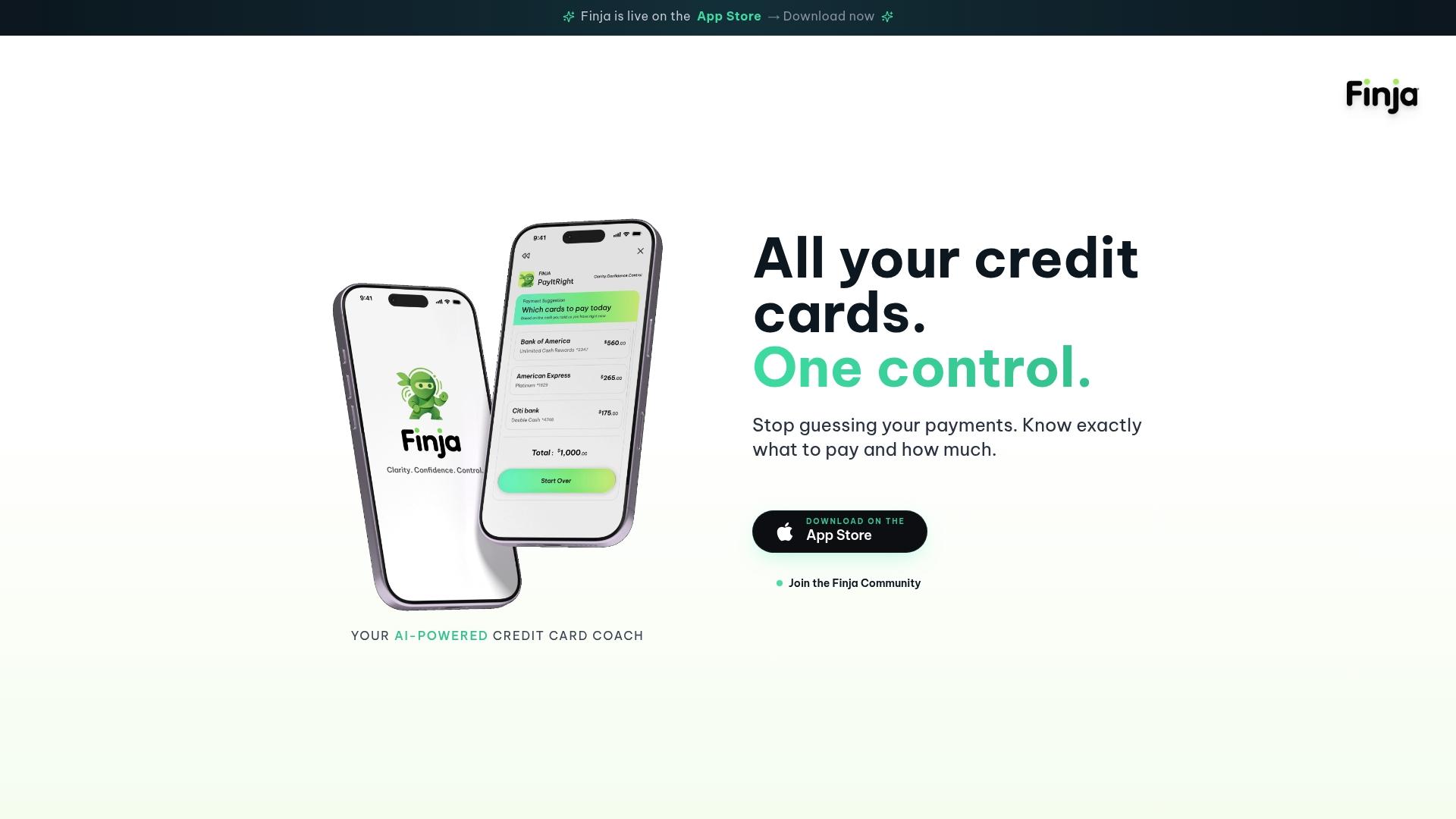
If you already keep a spreadsheet, the cycle budget above works fine. When you want the dates and payment decisions in one place, that is what we built the app for.
FAQ
Is it better to budget by billing cycle or by calendar month?
It depends on what you want the budget to match. A calendar month fits rent and a single monthly paycheck. A billing cycle fits the statement you will owe, which makes it better when you pay in full or manage several cards. Many people track the cycle for card spending and use paychecks to time the payment.
What is a 30-day billing cycle?
It is a cycle that runs about 30 days between statement closing dates. Cycles commonly run 28 to 31 days, and under Regulation Z a cycle still counts as equal if it varies by up to four days. Your own cycle length is on your statement.
Can I change my billing cycle date?
You cannot usually pick the cycle length, but many issuers let you change the payment due date, which shifts your cycle. Limits apply. Some allow a change only once every 90 days, and it can take a cycle or more to start. Check your issuer's app or call the number on your card for current options.
How do I avoid counting credit card spending twice?
Log each purchase once in its category. Record the payment from checking as a transfer or repayment, not as spending. Keeping spending, cash flow and balance owed as separate views prevents the double count.
Sources
- How Do Credit Card Billing Cycles Work? (TD)
- Credit Card Billing Cycles, Explained (Chase)
- What Is a Billing Cycle and How Long Is It? (American Express)
- 12 CFR 1026.2, Definitions (eCFR)
- Billing cycle terms (HelpWithMyBank.gov)
- What Is a Credit Card Closing Date? (NerdWallet)
- A Guide to Budgeting with a Credit Card (Chase)
- Setting up credit card spending limits (Chase)
- Budget credit card payments without double counting (RVA SimpleBudget)
- How to Budget Credit Card Spending Without Counting It Twice (BudgetingPro)
- How To Organize Multiple Credit Cards (InCharge)
- Credit Card Due Date Budget (CRF Consultants)
- Making Multiple Credit Card Payments (Chase)
- What Is a Billing Cycle and How Does It Impact Credit Score? (CNBC Select)
- Budgeting With Credit Cards: 6 Tips (Capital One)
- When Is the Best Time to Pay My Credit Card Bill? (Experian)
- Know Before You Owe: Credit cards (CFPB)
- Cash-flow planning calculators (David Mordue)