If your credit card autopay failed, make a manual payment for at least the minimum right away, then confirm that it posted. Most failed autopays come down to a short list of causes: not enough money in the linked account, an expired or replaced card or account, a payment amount set below the minimum, or a processing error. Each one has a fix. The sooner you act, the better your odds of avoiding a late fee, extra interest and a mark on your credit report.
This guide is for people who carry more than one card and rely on autopay to keep every one of them current. It walks through the fix, the cause, the money at stake and the setup that keeps it from happening again.
TL;DR
- Pay at least the statement minimum manually today. Autopay that failed does not retry on your schedule, and a missed minimum is what triggers a late fee.
- Check the linked bank account, the payment amount setting and the due date. Those three explain most failures.
- A card is generally reported late to the credit bureaus only after the payment is more than 30 days past due, so a fast fix usually protects your credit report. A fee is a separate matter.
- Ask the issuer to reverse the fee and interest if the failure was its error or an outage.
- With several cards, a failure on one is easy to miss. One view of all due dates and autopay amounts is the safeguard.
Table of Contents
- Step 1: Pay now, then confirm it posted
- Step 2: Find out why autopay failed
- Step 3: Understand what a failed autopay can cost
- Step 4: Call the issuer and ask for the fee back
- Step 5: Rebuild autopay so it does not fail again
- Why several cards make autopay failures likelier
- How Finja fits in
- Perspective
- FAQ
- Sources
Step 1: Pay now, then confirm it posted
Do not wait to find out whether the issuer will retry. Log in and make a one-time payment from a bank account that has the funds. Pay the full statement balance if you can. If not, pay at least the minimum payment, which is the smallest amount the issuer requires by the due date to keep the account in good standing. Our guide on what a minimum payment is explains how that figure is calculated.
Timing matters. One large issuer says online or phone payments must be received before midnight ET on the due date, and before 8 p.m. ET when the due date is also the statement closing date. Your issuer's cutoff may differ, so read it on your statement or in the app. If the due date has already passed, pay anyway. Interest keeps accruing on unpaid balances, and the longer the account stays past due, the worse the consequences get.
Then confirm. A payment can show as "pending" for a day or more before it posts. Screenshot the confirmation number and check back the next business day. If you are not sure how long that takes, see how credit card payment posting works. Keep in mind that a weekend or holiday can push a payment past the cutoff, which is covered in weekend credit card payments.

Step 2: Find out why autopay failed
Once the payment is safe, work out the cause. If you skip this, the same failure comes back next month. Check these in order.
The linked account was short on funds
This is the most common cause. The CFPB explains that if your balance is too low when an automatic payment is due, overdraft or nonsufficient-funds fees may result, and both your bank and the company being paid might charge fees. That means one failed autopay can cost you twice.
Timing is often the real culprit. A paycheck that lands the day after the debit, or a rent payment that clears first, can leave the account short for a few hours. Look at your bank's transaction history for the autopay date and see what was already pending.
The payment amount was set too low
Many people set autopay to a fixed amount and forget it. If the statement minimum rises above that amount, you have a problem even though the autopay "worked." One large issuer's autopay terms say that when a fixed amount is less than the minimum payment due, you must pay outside autopay to meet the minimum and avoid becoming past due. The same terms say a minimum-pay autopay will not bring a past-due account current.
Another issuer states that paying less than the minimum will likely still count as a late payment, even if you pay on time. Compare the amount that left your bank with the minimum on the statement.
The card or bank details changed
A replaced card, a closed or switched checking account, a new routing number or an incorrect billing address can all interrupt a payment. If the money was there and the payment still failed, re-enter the bank details and confirm that the account and routing numbers are right. Many banks also check the billing ZIP code on electronic transactions, so a stale address can matter.
Autopay was never fully active
Some autopay setups take effect only from the next statement. If you enrolled shortly before your due date, the first payment may not have been scheduled yet. Check the enrollment confirmation for the first debit date.
The issuer or the bank had a problem
System outages and processing glitches happen. The CFPB's guidance for an issuer outage is to contact the company, try other ways to access the account, check whether automatic charges are still being made, and ask the company to reverse fees or interest charged because of the outage.
Step 3: Understand what a failed autopay can cost
A failed autopay can lead to four separate costs. They are easy to mix up, so here they are one at a time.
| Cost | What triggers it | How to limit it |
|---|---|---|
| Bank fee | Debit hits an account with too little money | Keep a buffer, or move the payment date |
| Late fee | Minimum not received by the due date | Pay manually at once, then ask for a waiver |
| Interest | Balance not paid in full by the due date | Pay as much as you can, as soon as you can |
| Credit report mark | Payment more than 30 days past due | Bring the account current well before then |
Late fees
Your card agreement sets the amount. Under Regulation Z, the federal rule that implements the Truth in Lending Act, the CFPB sets safe-harbor amounts, meaning fee levels an issuer can charge without having to justify them individually. In its 2024 rule, the CFPB set $32 for penalty fees other than late fees for all issuers and for late fees imposed by smaller card issuers, and $43 for each repeat violation of the same type within the next six billing cycles. Your own agreement shows what your issuer charges. Repeat lateness often costs more than a first slip, which is another reason to fix the first one quickly.
A TD Bank autopay agreement adds one detail worth knowing: if an automatic payment is returned and late, a late fee appears on the next monthly statement, and the bank may retry the payment within 30 days if insufficient funds caused the failure. Retry policies differ by issuer, so do not count on one.
If a fee does land, you can ask for it to be removed. The scripts in our guides on waiving a late fee before it hits your credit report and on returned payment fees show what to say and what to ask for.

Credit reporting
A single missed due date does not automatically land on your credit report. One large issuer says it typically reports an account as late to the credit bureaus after it is more than 30 days past due. The NCLC, a consumer law organization, also notes that current industry guidelines call for reporting only after 30 days have passed since the due date.
That 30-day window is the reason to move fast, not a license to wait. By the time a payment is 30 days late, you will have paid late fees and interest, and the mark itself can stay on your credit report for years. If one has already been reported, read how to remove a late payment through disputes and CFPB escalation.
A rule that can work in your favor
Under the Truth in Lending Act, as the NCLC summarizes it, a card issuer can charge a late fee, report a late payment or take other negative action only if it delivered your statement at least 14 days before the due date. If your statement arrived late, mention it when you ask for a fee reversal.
Step 4: Call the issuer and ask for the fee back
Once the payment has posted, contact the issuer by phone or secure message. Be brief and specific. Say that your autopay failed, give the date, explain the cause if you know it, and confirm that you have paid. Then ask for the late fee and any interest charged because of the failure to be reversed.
Your case is stronger when:
- The account has a record of on-time payments.
- You paid within a day or two of the due date.
- The failure came from the issuer's system, a processing error or an outage.
- The statement reached you late.
If an outage is the cause, the CFPB specifically advises asking the company to credit the account for those charges. Write down the date, the agent's name and any reference number. If the answer is no, ask politely whether a supervisor can review it, and try again next billing cycle.
If the failed autopay produced a double debit or an unexpected charge, act on it quickly. Dispute rights under the Fair Credit Billing Act have a deadline, and our page on duplicate credit card charges explains the 60-day window.
Step 5: Rebuild autopay so it does not fail again
Fixing the cause is half the job. The other half is a setup that tolerates small surprises.
- Set a floor, not a ceiling. Autopay at least the minimum on every card, so that a forgotten payment never goes unpaid. Then add manual payments on top when you can afford more. Our piece on using autopay and early payments together covers that approach.
- Keep a buffer in the paying account. Leave enough to cover the largest autopay plus anything else scheduled that week. A bank balance that is correct on the 1st can be wrong on the 15th.
- Align due dates with payday. Some issuers let you change your due date. One issuer notes that moving the date to coincide with other monthly bills helps some people avoid late payments, and that if you are eligible, the new date takes effect within two billing cycles. Until then, pay at least the minimum by the existing due date.
- Know the notice rules. For automatic payments from a bank account, the CFPB says a company must give you at least 10 days' notice before a scheduled payment if the amount will differ from the authorized amount or range. Read those notices when they arrive.
- Check after each cycle. Spend two minutes after each due date confirming that every card shows a posted payment, not just a scheduled one.
- Update details immediately. When a card is reissued or you change banks, update autopay the same day.
For how timing choices affect fees, interest and your score, see when to pay your credit card and the deeper walkthrough on how to optimize credit card payments with timing and Regulation Z.
Why several cards make autopay failures likelier
With one card, you notice a failure because there is one due date. With four or five, each card has its own due date, its own minimum, its own autopay amount and sometimes its own paying account. A failure on one card can sit unnoticed for weeks, because the other autopays all worked and the app you check most does not mention it.
Three patterns come up again and again with multiple cards:
- Overlapping debits. Several cards pull from the same checking account in the same week, and together they exceed the balance even though each would be fine alone.
- Stale fixed amounts. A fixed autopay set months ago no longer covers the minimum after a balance grew.
- Scattered due dates. Dates spread across the month make it hard to line up funds and payday.
The fix for all three is the same: see every card's due date, minimum and autopay amount in one place, and decide payments with the whole picture in view.
How Finja fits in
Finja is an AI-powered credit card coach built for people with multiple cards. It shows all your cards in one place, so you can see due dates and balances together instead of logging in to each issuer. It also gives AI-powered guidance on payment timing and amounts, aimed at reducing interest costs and improving credit health. It is a dedicated credit card coach rather than a general budgeting tool, and it is designed to have no learning curve.
If an autopay failure made you realize that you cannot see your whole card picture at a glance, Finja is built for that.
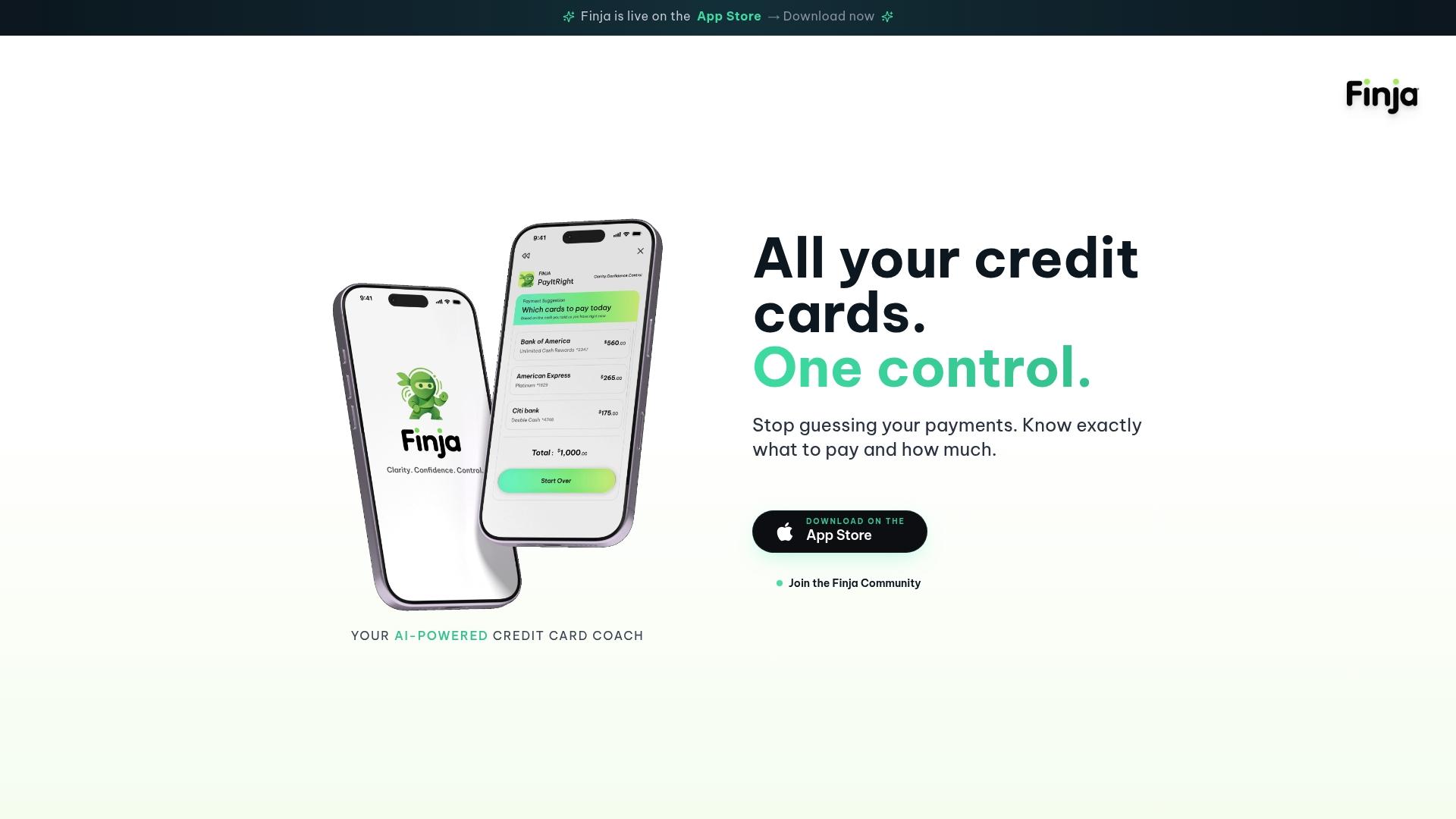
The app also includes credit health tracking, budgeting tools and spending limit controls, so the same place that shows a due date can help you plan what to pay and when.
Perspective
A failed autopay is rarely a story about one payment. It is usually a story about visibility. When someone has several cards, autopay feels like a promise that the problem is handled, and so people stop looking. Then one amount goes stale, one account runs short, and nobody notices until the fee shows up.
We built Finja around a different idea: a credit card coach that helps you decide what to pay, when to pay it and why. The goal is not rewards. It is lower interest and better credit health. That starts with seeing every card in one place, because you cannot optimize what you cannot see.
Our view is that autopay should be the safety net, and a deliberate decision should sit above it. Know the minimum, know the due date, know which account pays, and let guidance on timing and amounts do the heavy lifting. That way, one failed debit becomes a small correction instead of a surprise.
Grace K.
FAQ
What happens if my autopay fails and I pay a day late?
You may be charged a late fee and interest on the unpaid balance, depending on your card agreement. A one-day delay generally does not reach the credit bureaus, because issuers typically report late payments only after 30 days past due. Pay as soon as you notice, then ask the issuer to waive the fee.
Will a failed autopay hurt my credit score?
Not by itself in most cases. The damage comes if the payment goes more than 30 days past due and is reported. Bringing the account current quickly is the best protection. If a late mark was reported in error or because of an issuer problem, you can dispute it.
Why did autopay fail when I had enough money?
Check the amount first: a fixed autopay below the minimum can still leave you past due. Then check for outdated bank details, a billing address mismatch, an autopay that was not yet active, or a payment that ran when pending debits had temporarily lowered your balance. An issuer or bank outage is also possible.
Does the issuer retry a failed autopay?
Sometimes, but policies differ. One bank's terms say it may retry within 30 days at its discretion when insufficient funds caused the failure. Never wait on a retry. Make the payment manually, then confirm it posted.
Should I turn autopay off after a failure?
Usually it is better to fix it than to remove it. Keep autopay at the minimum as a safety net, correct the cause, and make extra payments yourself when you can. That keeps one forgotten date from becoming a late payment.
Sources
- How do automatic payments from a bank account work? (CFPB)
- What happens if my credit card company has an outage? (CFPB)
- Credit Card Penalty Fees (Regulation Z), Federal Register, March 15, 2024
- Autopay Addendum to Online Payment Agreement (TD Bank)
- Automatic Payment Agreement, Credit Card (Chase)
- Handling late credit card payments (Capital One Help Center)
- Making credit card payments (Capital One Help Center)
- What Rights Do Buy Now, Pay Later Purchasers Have? (NCLC)