
A credit card spending report worth using shows you a per-card breakdown, statement balance, due date, and APR by balance category, then tells you exactly where your next dollar should go. It should name the Consumer Financial Protection Bureau framework and Regulation Z's payment-allocation rule behind that recommendation. Get this right and you cut interest costs, dodge late fees, and protect your credit score, all from one screen instead of five browser tabs.
TL;DR:
- A comprehensive credit card report must show each card's billing period, statement balance, minimum payment, due date, and APR by category to accurately prioritize payments.
- Paying every card's minimum on time and directing extra funds toward the highest-APR balance reduces interest costs most effectively and complies with Regulation Z.
- Regularly reconciling current and statement balances, and checking for stale or mismatched data, prevents missed payments and ensures accurate debt management.
- Alerts triggered by events like statement posting or APR changes improve financial responsiveness beyond monthly reviews.
- Automating this process with tools like Finja can save time and improve adherence to best payment strategies for managing multiple credit cards.
Table of Contents
- What Fields a Reliable Consolidated Spending Report Must Show
- How to Use the Report to Prioritize Payments and Cut Interest
- Reconciling Your Numbers: Freshness, Balance Types, and Verification
- The Right Cadence: When to Check and What Triggers an Alert
- Build Your First Consolidated Report in Under an Hour
- Why an Interest First Lens Beats a Generic Spending Dashboard
- Finja: An AI Coach That Builds This Report for You
- Sources
- FAQ
What Fields a Reliable Consolidated Spending Report Must Show
A spending summary that lumps all your cards into one total balance is close to useless. You need the guts of each account visible side by side, because interest and due dates don't average out. The CFPB's guidance on analyzing credit card statements makes this explicit: a proper breakdown preserves the billing period, new balance, minimum payment, due date, and APR by balance category for every account, not just a combined number.
Here's what a report actually needs, per card:
- Billing period (start and end dates)
- Statement balance versus current balance
- Minimum payment amount
- Due date
- APR broken out by category (purchases, balance transfers, cash advances)
- Fees charged this cycle
- Interest charged this cycle
- Full transaction list for that period
APR-by-category matters because most cards carry different rates for purchases, transfers, and cash advances on the same account. A card that looks "18% APR" on the surface might be charging 27% on a cash advance balance sitting quietly underneath it. Minimums matter for a different reason: miss one and you risk a late fee and a ding on your credit report, regardless of how well you're managing everything else.
Balances also need date and source labels. "Current balance" from your bank's app, "statement balance" from your last bill, and the balance a bureau has on file can all be different numbers on the same day. A report that doesn't label which one you're looking at, and when it was pulled, sets you up to misjudge how much you owe. Add cross-card category totals and month-over-month changes, following the same logic the CFPB's spending tracker uses for categorizing and comparing spending, and you can finally see if your restaurant spending crept up 40% since March across three different cards instead of missing it because it's split three ways.
How to Use the Report to Prioritize Payments and Cut Interest
Once you can see every card clearly, the payment math gets simple, but only if you follow the actual rule instead of a gut feeling. Regulation Z §1026.53 requires that any amount you pay above the minimum generally gets applied first to the balance with the highest APR on that account. That's the law governing how issuers apply your payment, and it should shape how you decide where extra money goes across cards, too.
Here's the order that actually reduces interest:
- Pay every card's minimum by its due date. No exceptions, no matter how tempting it is to skip the small one this month.
- Rank your remaining balances by APR, not by size.
- Send every extra dollar to the highest-APR balance until it's gone, then roll to the next.
- Recheck before each payment cycle, because promotional rates and balance-transfer windows shift the ranking.
Pro Tip: Check for deferred-interest promotions before you assume a low intro APR is your safest balance. Some retail cards charge you all the deferred interest retroactively if you don't clear the balance by the promo deadline, even if you were paying on time the whole way.
Say you have extra money to throw at debt this month, split across a card with a higher APR and one with a lower APR. Sending the whole $3,000 to the 26.99% card instead of splitting it evenly saves you real money over the payoff period, because interest accrues daily on the average daily balance on most cards. The catch is psychological: paying off a small balance completely feels great, but it usually costs you more in total interest than chasing the highest rate first. A practical prioritization framework can help you stick with the math instead of the feeling.
Reconciling Your Numbers: Freshness, Balance Types, and Verification
The most common source of confusion in a multi-card report isn't bad math, it's stale or mislabeled data. You might have four different "balances" on one card at any given moment: what your bank's app shows right now, what your last statement said, what a bureau has on file, and what you'd actually owe if you paid today. Treating any two of those as interchangeable is how people miss payments they thought were covered.
Run this checklist before trusting any report:
- Pull the latest statement for every card and confirm the billing period dates
- Compare your app's current balance against the statement balance for the same card
- Cross-check what's reported to the bureaus, since free reports are available through AnnualCreditReport.com once every 12 months from each bureau
- Flag pending charges, recent refunds, and any shared or split expenses before totaling categories
Pro Tip: If a linked account shows a balance that doesn't match your last statement, check the sync date first. A one or two day lag between your bank and your tracking tool is normal; anything older than a billing cycle means something didn't update.
Aggregation tools pull this data automatically, but stakeholder guidance from the CFPB is clear that you still need to monitor what's shared and reconcile anything that looks off. Automated doesn't mean unmonitored. Comparing your statement balance against your current balance monthly catches most sync issues before they cost you a missed payment.
The Right Cadence: When to Check and What Triggers an Alert
Checking your spending report once a month and calling it done misses the moments that actually cost you money. The better model is event-driven: something happens, you get notified, you act. A new statement posts, a due date approaches, you're nearing a credit limit, an APR or promotional rate changes, or your linked data goes stale, each of those is a trigger worth an alert rather than a scheduled check-in.
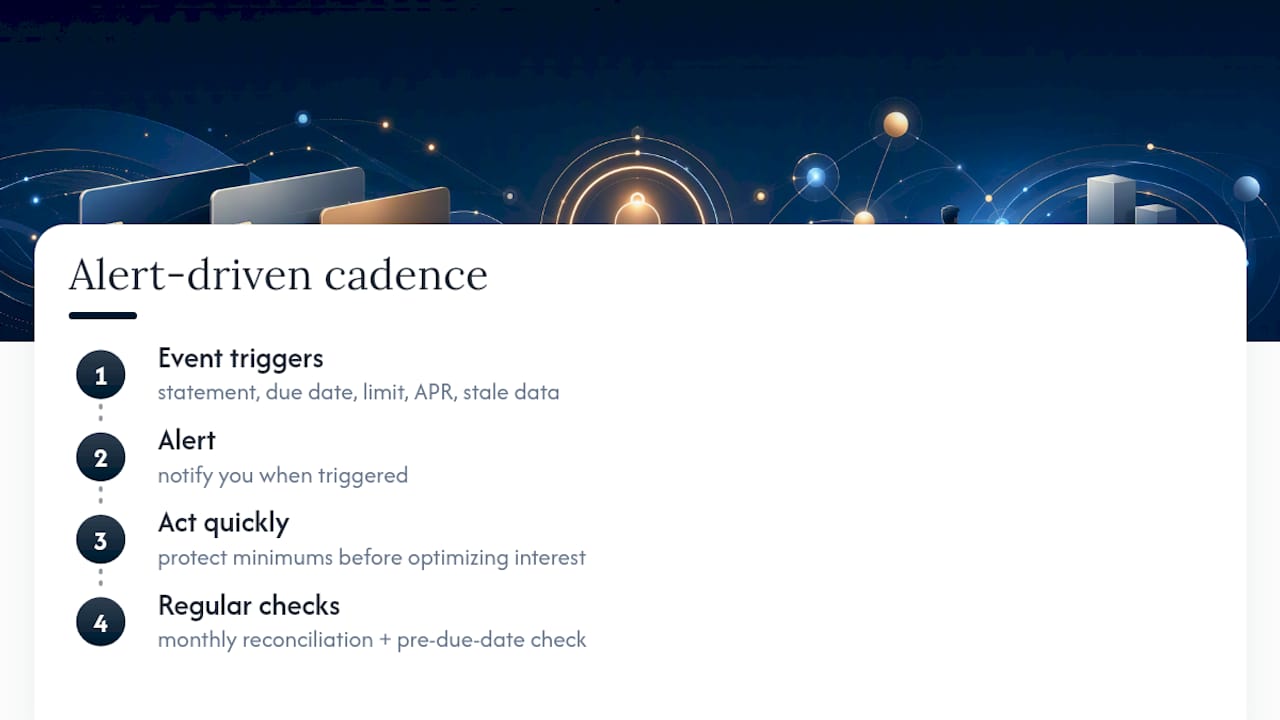
That said, a full monthly reconciliation still matters, paired with a check a few days before every due date. That combination catches both the slow drift (spending creeping up in a category) and the sharp risk (a payment about to be late). The point of the alert isn't just convenience. It's surfacing missed-payment risk before you even get to the optimization question, because protecting your minimums always comes before chasing interest savings. A 21-day grace period on purchases is only useful if you know it's ticking.
Build Your First Consolidated Report in Under an Hour
You don't need software to start. You need forty five minutes and your last statement from every card you carry.
- Gather your statements. For each card, write down the billing period, statement balance, minimum payment, due date, and APR by category (purchases, transfers, cash advances).
- List or import transactions. Mark anything pending or refunded, then sort everything into spending categories so you can total across cards, not just within one.
- Set your payment order. Protect every minimum first, pick an extra-payment amount, and apply it to the highest-APR eligible balance, checking for any promotional deadlines that might change the ranking.
- Verify and set alerts. Cross-check your numbers against a free bureau report, then set reminders for due dates and new statement postings so you're not repeating this from scratch next month.
Doing this once by hand is worth it, if only to see how much the manual version resembles what a quick debt-tracking checklist already lays out. After that, most people automate it.
Why an Interest First Lens Beats a Generic Spending Dashboard
Most budgeting apps are built to show you where your money went. That's fine, but it answers the wrong question if you're carrying balances on multiple cards. The question that actually saves you money is where your next dollar should go, and that requires APR-by-category data and Regulation Z's allocation logic, not a pie chart of your coffee spending.
A rewards-first or category-first dashboard treats every dollar the same. An interest-first report doesn't, because a dollar sitting on a 27% cash advance balance is costing you differently than a dollar on a 15% purchase balance. Once you can see that difference clearly, the payoff decision stops being a guess. That's the gap most spending trackers never close.
— Grace K.
Finja: An AI Coach That Builds This Report for You
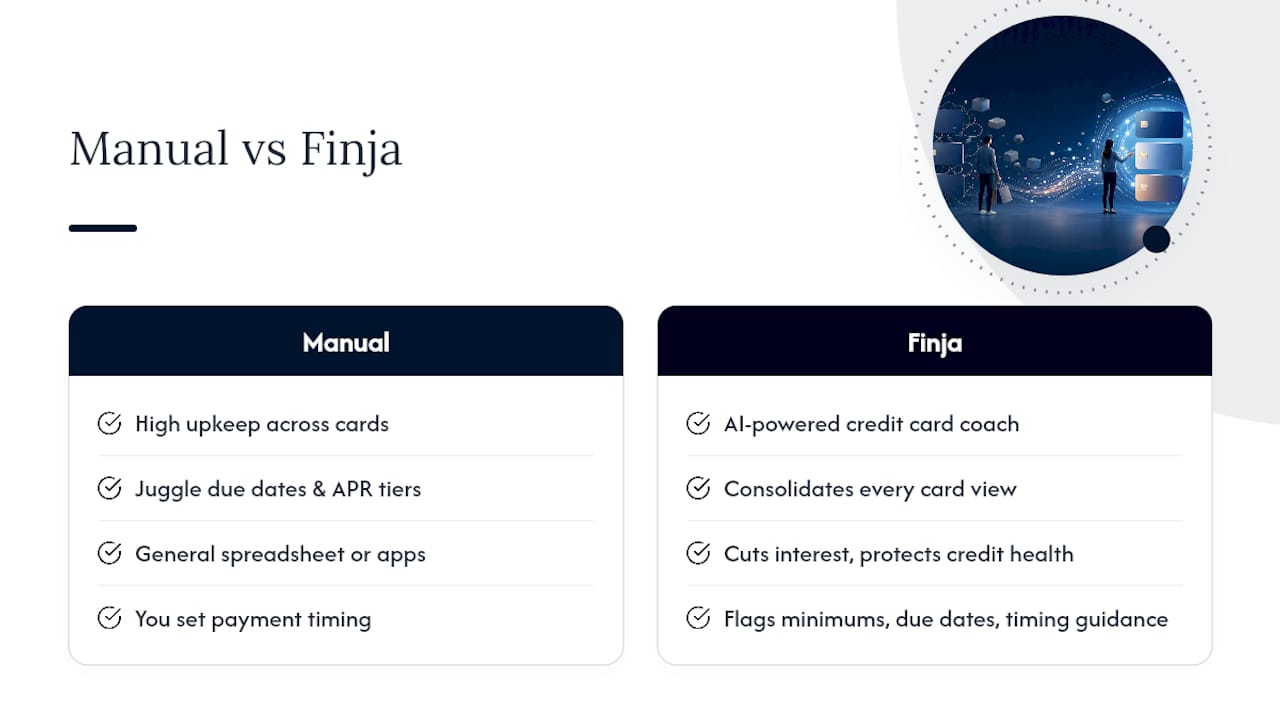
Everything above is doable by hand, but it takes real upkeep across multiple cards, multiple due dates, and multiple APR tiers. Finja is built specifically to close that gap: it's positioned as your AI-powered credit card coach, not a general budgeting app, and it focuses on cutting interest costs and protecting your credit health rather than chasing rewards points.
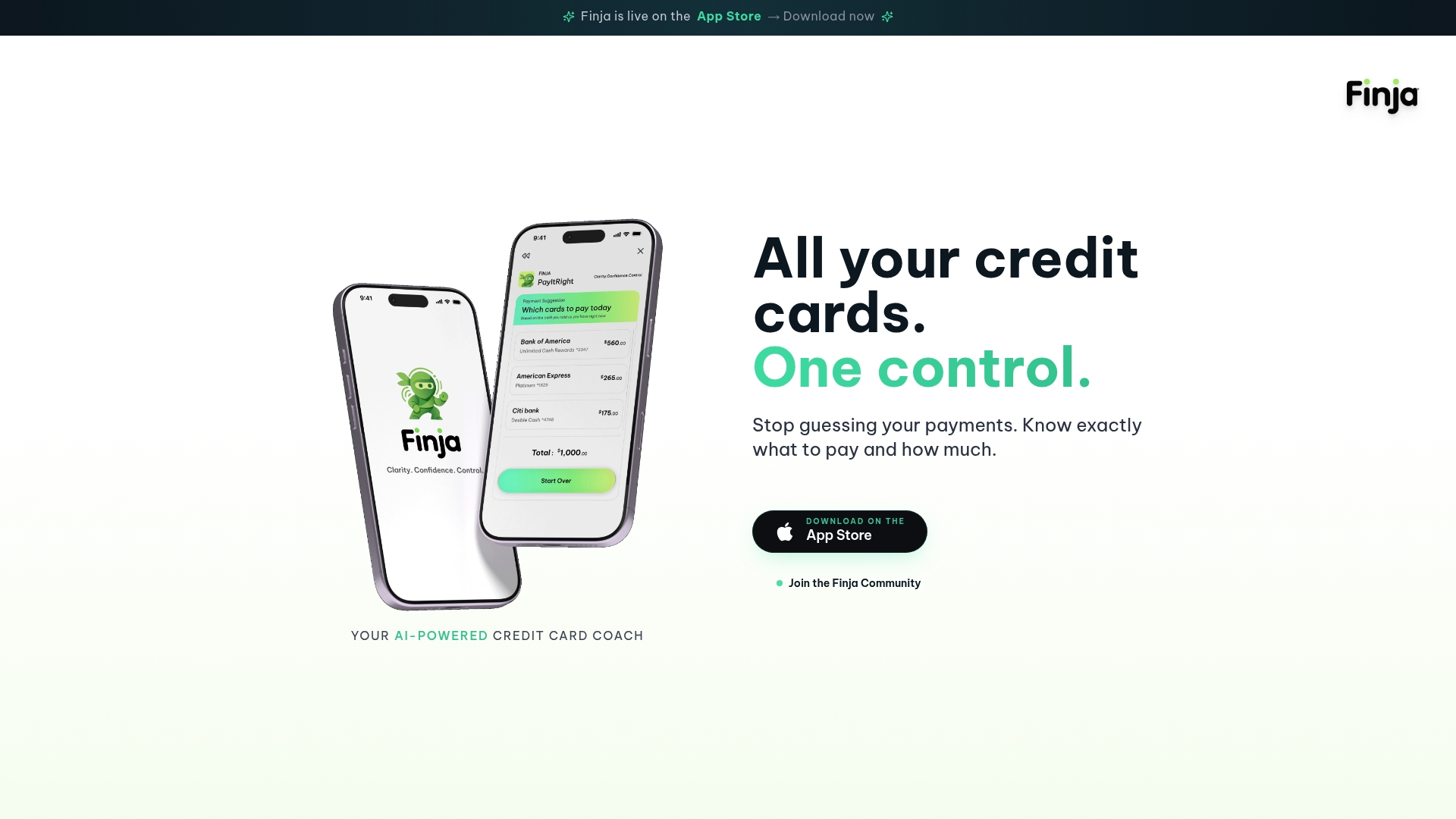
Finja pulls every card into one consolidated view, so you're not toggling between five banking apps to see what's due when. It maps directly onto the fields this article just walked through: balances by APR category, minimums and due dates flagged before they become a problem, and payment timing guidance instead of a flat number. The pitch is simplicity with no learning curve, which matters if you've tried a spreadsheet and abandoned it by week three.
If you're managing three or more cards and tired of reconstructing this picture manually every month, take a look at Finja's credit card coach and see whether an automated version of the report you just learned to build by hand fits how you actually manage money.
This article is general information, not a substitute for advice from a qualified financial advisor. Consult a qualified financial professional about your own circumstances before acting on anything here.
Sources
- Analyzing credit card statements | CFPB
- 12 C.F.R. § 1026.53 — Regulation Z (payment allocation) | Cornell LII
- Take charge of your credit cards | FDIC consumer guidance
FAQ
What Should a Credit Card Spending Report Include?
It should show, per card, the billing period, statement and current balance, minimum payment, due date, and APR broken out by balance category, along with fees and interest charged. The CFPB's statement guidance treats a combined single-number balance as insufficient for real decision-making.
How Do I Decide Which Card to Pay Off First?
Pay every minimum on time first, then send extra money to the balance with the highest APR, which lines up with how Regulation Z §1026.53 requires issuers to allocate payments above the minimum. Check for promotional or deferred-interest deadlines first, since those can temporarily change the smartest target.
Why Does My Current Balance Differ From My Statement Balance?
Your current balance reflects activity since your last statement closed, including new purchases and payments, while your statement balance is frozen at the billing period's end date. Both are legitimate numbers. The mistake is using them interchangeably when deciding what to pay.
How Often Should I Check My Credit Card Spending Report?
A full reconciliation once a month plus a check before each due date covers most people's needs. Event-driven alerts, like a new statement posting or an APR change, catch the risks a monthly glance would miss.
Does Finja Replace Checking My Credit Report?
No. Finja consolidates your card data and payment recommendations, but you should still pull your free reports through AnnualCreditReport.com periodically to confirm what's actually reported to the bureaus. Current pricing and features for the platform are listed on its website.