
A credit card payoff schedule is a month-by-month plan showing exactly how much interest and principal each payment covers and the date your balance hits zero. The fastest way to get one: plug your real balances, APRs, and current payment into a payoff calculator or spreadsheet right now. From there you'll pick a payoff order, set your inputs correctly, and build a schedule you can actually follow.
TL;DR:
- Using a payoff calculator requires accurate data on current balances, APRs, and minimum payments; small errors can extend payoff times significantly.
- Paying only the minimum, especially if it barely covers interest, can prolong debt repayment and increase total interest paid over years.
- The avalanche method is more cost-effective by targeting high-APR cards first, but the snowball approach can boost motivation through quick wins on smaller balances.
- Automating minimum payments and halting new charges are critical habits to prevent penalty APRs and over-limit fees from derailing the payoff schedule.
- Regularly reviewing and adjusting the plan helps accommodate income changes and small shifts in interest rates, keeping repayment on track.
Table of Contents
- How Do You Use a Credit Card Payoff Calculator?
- Avalanche or Snowball: Which Payoff Order Fits You?
- How Do You Build a Month-by-Month Payoff Schedule?
- How Finja and Smart Habits Keep Your Schedule on Track
- Why Your Credit Score Cares How You Pay Off Debt
- Using Your Schedule to Dodge Penalty APRs
- How Do Late Fees and Over-Limit Fees Wreck a Payoff Schedule?
- What If Your Income or Expenses Change Mid-Payoff?
- Realistic Expectations and Small Nudges That Make Schedules Stick
- An Automated Way to Run Your Payoff Schedule
- Where to Double-Check Your Numbers
- Sources
- FAQ
How Do You Use a Credit Card Payoff Calculator?
A payoff calculator is only as good as what you feed it. Six inputs matter, and skipping one produces a number that looks precise but means nothing:
- Current balance on each card, pulled from your latest statement, not an old app screenshot.
- APR for each card (your monthly rate is that APR divided by 12).
- Current minimum payment required by the issuer.
- Actual monthly payment you plan to make, or a target payoff date if you'd rather solve backward.
- Expected new charges you'll keep putting on the card each month, if any.
- Balance-transfer details, if you're moving debt to a lower-rate card.
Most tools run in one of two modes. Fixed-payment mode takes a dollar amount and tells you the payoff date. Target-date mode flips it around: you pick the month you want to be debt-free, and it calculates the payment required to get there. Both are useful, but target-date mode is often more motivating because it turns an abstract goal into a specific number you owe every month.
Once you run the numbers. Read the schedule columns carefully. Each row shows that month's interest charge, how much of your payment went to principal, the cumulative interest paid so far, and the running balance. Watch for a red flag: if your payment barely exceeds that month's interest, the minimum payment calculator from Forbes Advisor shows the balance can decline so slowly it may as well never pay off. Minimum payments are typically about 1% of the balance plus that month's interest, with a floor around $25, and paying only that amount can stretch a payoff timeline for many years and substantially increase the total interest paid.
Pro Tip: If a calculator warns your payment "never pays off" the balance, you're not broken; the math is. Raise the payment by even $20 and rerun it. Small increases near the break-even point produce outsized drops in payoff time.
Avalanche or Snowball: Which Payoff Order Fits You?
Two methods dominate every credit card debt repayment plan, and they solve different problems.
Avalanche ranks your cards by APR and throws every extra dollar at the highest-rate balance first, while paying minimums on everything else. Snowball ignores interest rates and attacks the smallest balance first, regardless of APR.
The math favors avalanche. Since it eliminates your most expensive debt first, it saves more total interest over the life of the payoff. But according to debt education resources from University of Michigan Credit Union, snowball often wins in practice because closing an account fast, even a small one, builds momentum that keeps people on track longer than a purely mathematical approach does.
Use these decision rules when you're building your own schedule:
- If one card carries a noticeably higher APR than the rest, avalanche saves real money and is worth the extra patience.
- If your balances are similar in rate but wildly different in size, and you've stalled out on debt before, snowball's quick wins might be what keeps you going this time.
- If you're not sure, run both scenarios in your calculator and compare the total interest and payoff date side by side before committing.
Whichever order you choose, the schedule only works if you encode it correctly: every extra dollar goes to the prioritized card, every other card gets its minimum, and the payment automates so willpower isn't part of the equation.
How Do You Build a Month-by-Month Payoff Schedule?
Building your own schedule takes three steps and about 20 minutes with your statements in front of you.
- Freeze new charges on any card you're targeting for payoff. Keep making minimum payments on every card, including ones not yet in your crosshairs, so nothing goes delinquent.
- List each card's balance, APR, and minimum payment, then convert APR to a monthly rate by dividing by 12. Decide how much extra you can realistically put toward debt each month.
- Choose your order (avalanche or snowball), then decide whether you're working with a fixed monthly payment or a fixed target date. Run both scenarios if you're on the fence.
Here's what six months of a sample schedule looks like on a $3,000 balance, at 22% APR, with a $200 monthly payment:
Notice the principal portion grows a little every month even though the payment stays flat. That's the schedule doing its job.
One caveat: TransUnion's payoff calculator notes that most tools use a month-end interest approximation, while issuers often calculate interest on your average daily balance. The numbers will be close but not identical to your actual statement. Treat the schedule as a planning tool, not a substitute for your monthly bill. Once you've tested a few scenarios, export the numbers or copy them into a spreadsheet and set up the payment to run automatically.
How Finja and Smart Habits Keep Your Schedule on Track
A spreadsheet tells you what to pay. It doesn't remind you, adjust when your balance shifts, or catch a new charge that quietly undoes last month's progress. That's the gap tools like Finja, an AI-powered credit card coach, are built to close by pulling every card into one view and surfacing payment timing suggestions based on your actual balances and due dates.
Behind the mechanics, a few habits matter more than any app:
- Set automatic payments to fire a day or two after payday, before the money gets absorbed into everyday spending.
- Keep a small starter emergency fund, even $500, so a flat tire doesn't turn into a new balance on the card you're trying to kill.
- The moment a card hits zero, immediately reassign its old payment to your next target instead of letting it quietly disappear into your checking account.
Grace K., who covers debt strategy and consumer credit tools for Finja's editorial team, points out that the schedules people actually finish are the ones built around real payday timing, not the ones with the cleverest math.
Why Your Credit Score Cares How You Pay Off Debt
Your credit score responds directly to how you execute your payoff schedule, not just the fact that you have one. Credit utilization, the percentage of available credit you're using, typically makes up close to a third of your score, and it's calculated per card and in aggregate. As your schedule brings balances down, utilization drops and your score tends to climb, often faster than people expect.
Payment history carries even more weight. A single 30-day late payment can knock a healthy score down significantly and stays on your credit report for years. This is why a payoff schedule that prioritizes minimums on every card, before extra payments go anywhere, protects you twice: it keeps accounts current and it prevents a late payment from erasing months of utilization progress in one stroke.
There's a less obvious wrinkle. Paying off and closing a card can occasionally ding your score if it was your oldest account or your only low-utilization card, because it shrinks your total available credit and your average account age. Most people are still better off paying it down and keeping it open with a $0 balance rather than closing it outright.
Your schedule should track more than dollars. Check your score every month or two while you're paying down debt. Watching it move gives you real-time proof the plan is working, which matters on months when the balance drop feels painfully slow.
Using Your Schedule to Dodge Penalty APRs
A penalty APR is what happens when you're late on a payment, often jumping your rate to 29.99% or higher and applying to your existing balance, not just new charges. It can stick around for six months or longer even after you catch up, and it can quietly wreck the math your entire payoff schedule was built on.
This is the strongest argument for building minimum payments into your schedule as non-negotiable, before any extra avalanche or snowball dollars get assigned. A schedule that assumes you'll always remember to pay every card, every month, without automation is a schedule waiting to be blown up by one missed due date.
Set autopay for at least the minimum on every card, then layer your extra payment on top for the prioritized target. That structure means a forgotten due date literally can't happen, because the bank is pulling the minimum whether you remember or not. If you've already triggered a penalty APR, call the issuer after making six consecutive on-time payments; many will remove it voluntarily once you've reestablished a track record, though they're not required to.
Your schedule should also flag over-limit risk. Charging past your limit, even by a few dollars, can trigger fees and sometimes a rate increase depending on your card's terms. If you're using a card you're actively paying down, freezing new charges on it removes this risk entirely.
How Do Late Fees and Over-Limit Fees Wreck a Payoff Schedule?
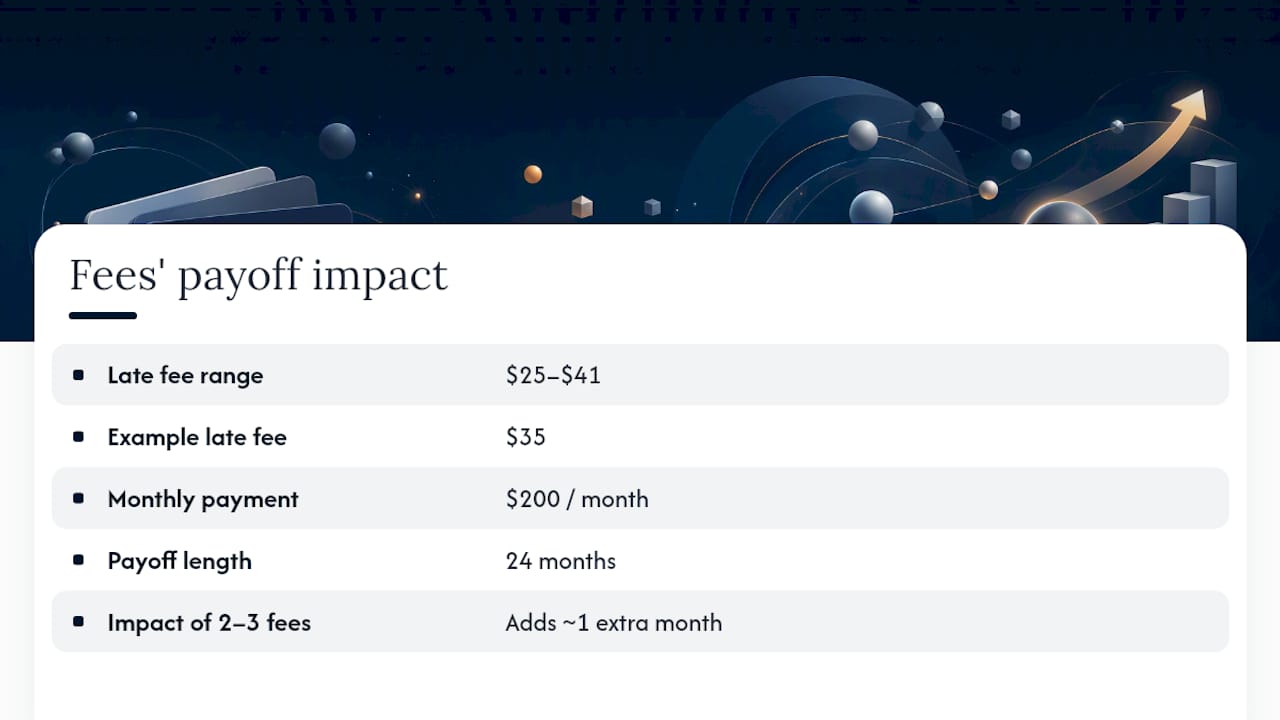
Fees don't just cost money, they cost time, because every dollar that goes to a fee is a dollar that isn't reducing your principal. A single late fee, commonly $25 to $41 depending on the issuer and whether it's a repeat offense, gets added directly to your balance and starts accruing interest immediately.
Run the math on what that does to a schedule. If you're paying $200 a month toward a card and get hit with a $35 late fee, that's effectively a $35 phantom charge that didn't buy you anything, sitting on top of a balance you're trying to shrink. Over a 24-month payoff plan, two or three late fees can add a full extra month to your timeline once you factor in the interest they generate.
Over-limit fees work similarly but are less common today since card issuers generally must get your consent to allow over-limit transactions at all. Still, if you've opted in, going over your limit can trigger a fee and sometimes a temporary rate hike, both of which land directly on the balance your schedule is trying to eliminate.
The fix is structural, not willpower-based. Build your schedule with minimum payments on autopay so a late fee becomes nearly impossible, and check your available credit before any large purchase on a card you're still carrying a balance on. If a fee does hit, don't just absorb it silently. Many issuers will waive a first-time late fee if you call and ask, especially if your account has an otherwise clean history.
What If Your Income or Expenses Change Mid-Payoff?
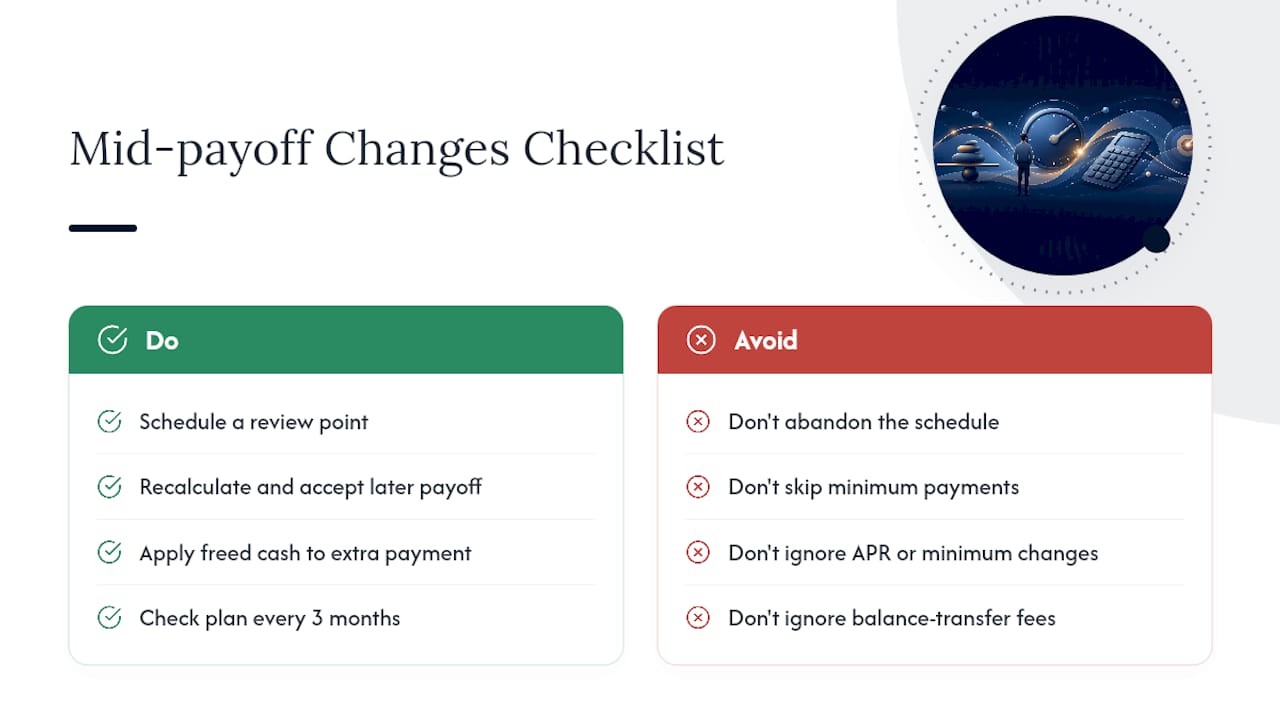
A payoff schedule built for the income you have today will eventually meet an income you don't have anymore, whether that's a raise, a layoff, or an unexpected expense. Building in a review point protects the plan from becoming irrelevant the first time life changes.
If your income drops, don't abandon the schedule, shrink it. Recalculate using your new available amount and accept a later payoff date rather than missing payments to protect the old timeline. If you're snowballing, resist the temptation to skip a minimum on a non-priority card to protect your extra payment; protect the minimums first, always, and let the extra payment absorb the cut.
If your income rises, or an expense disappears, like finishing off a car loan, the fix is simpler: roll that freed-up cash directly into your extra payment amount and rerun the calculator. This is where a fixed monthly payment approach shines over a target-date approach, since it's easy to bump the number up without recalculating the whole plan from scratch.
A useful habit: revisit your schedule every three months regardless of whether anything obvious changed. Interest rates on variable-APR cards shift, minimum payments get recalculated by issuers, and small drifts compound. According to a practical debt payoff plan from Money Scale, consolidation loans and balance-transfer offers are also worth revisiting at each check-in, since a 0% promotional window that didn't make sense six months ago might fit better once your balance has dropped and a transfer fee, typically 3% to 5%, eats up less of the benefit.
Realistic Expectations and Small Nudges That Make Schedules Stick
The mathematically optimal payoff order doesn't matter if you abandon it in month four. Pick the method, avalanche or snowball, that you'll actually follow for the full timeline, not the one that wins on paper.
The biggest lever isn't the math at all. Time your automatic extra payment to land right after payday, before that money can get absorbed into groceries or a spontaneous takeout order. Celebrate the small stuff, a card hitting zero, utilization crossing under 30%, because those moments are what keep people going past the point where the motivation naturally fades.
Treat your schedule as both a plan and an accountability check. Look at it weekly, not just once when you build it.
— Grace K.
An Automated Way to Run Your Payoff Schedule
Building a spreadsheet works. Running scenarios in a free calculator works too. But if you're juggling four or five cards with different due dates, different APRs, and a schedule that needs adjusting every time your income shifts, manually updating that spreadsheet becomes its own chore, and chores get skipped.
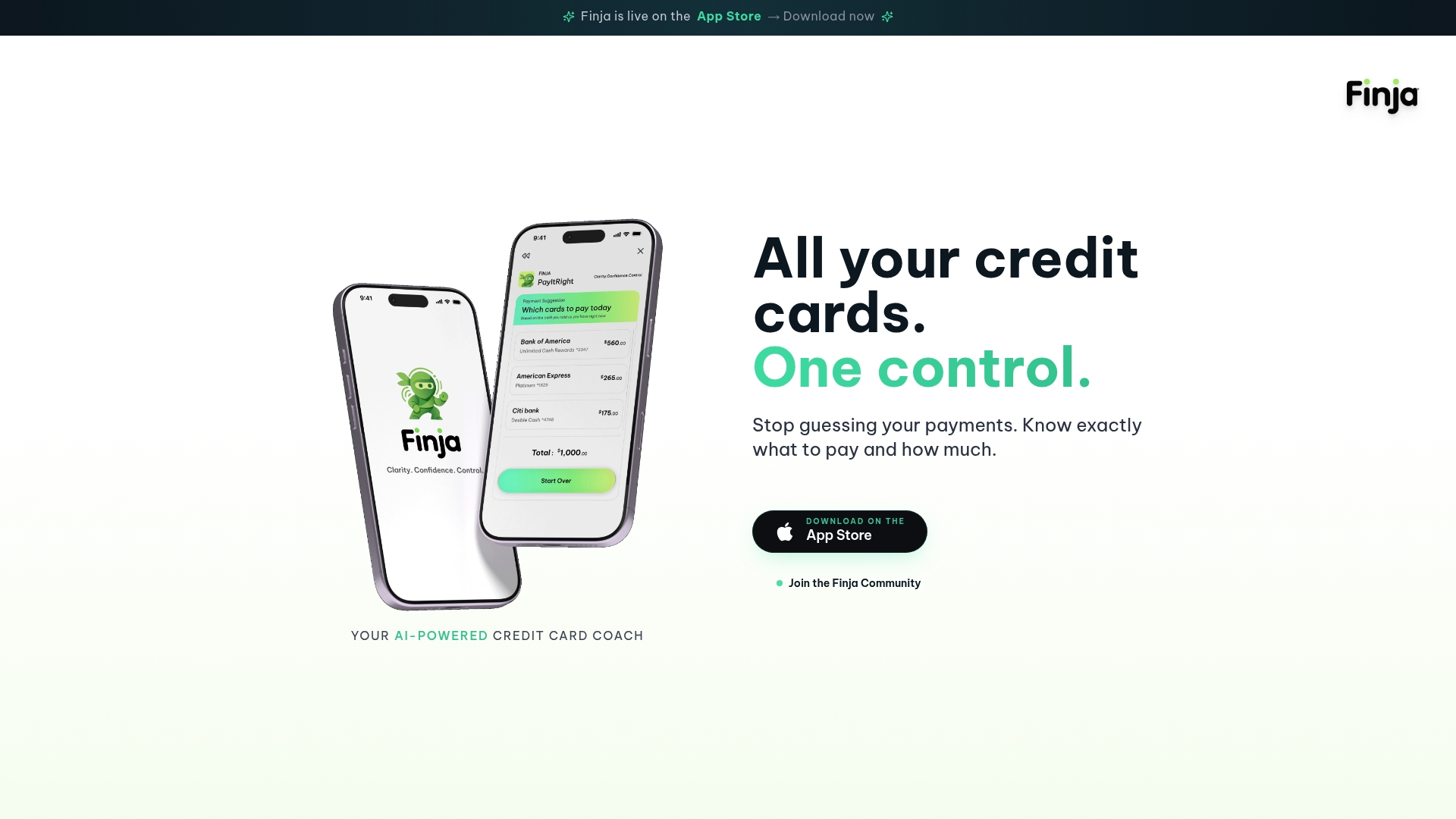
There are apps built specifically around that problem. Instead of general budgeting apps that treat credit cards as one line item among dozens, some solutions pull every card into a single consolidated view and offer suggestions on payment timing and amounts, often aimed at cutting interest costs rather than chasing rewards points. It's not the only path to a working payoff schedule, plenty of people do this well with a spreadsheet and discipline, but if you'd rather have the coaching built in and updated automatically as your balances change, check out Finja's AI credit card coach and see whether the automated approach fits how you actually manage money.
Where to Double-Check Your Numbers
A few outside resources are worth bookmarking alongside your own schedule:
- The FDIC's financial calculators and education tools offer government-backed background on debt and savings math.
- TransUnion's payoff calculator is a straightforward tool for cross-checking your own projections.
- Finja's guide on reducing your effective APR across multiple cards digs deeper into consolidation and transfer math.
- For currency-related card costs while traveling, this guide to avoiding foreign exchange fees covers a cost that quietly adds to balances for frequent travelers.
Sources
- Credit Card Minimum Payment Calculator (Forbes Advisor)
- Debt education and payoff methods (University of Michigan Credit Union)
- Credit card payoff calculator (TransUnion)
FAQ
Is It Better to Pay a Credit Card Every Two Weeks or Once a Month?
Paying every two weeks can lower your average daily balance and shave off a small amount of interest, since most issuers calculate interest daily. For most people the bigger factor is simply paying more total dollars per month, so a single larger monthly payment timed right after payday often beats splitting the same amount into two payments.
How Long Does It Take to Pay Off $40,000 in Credit Card Debt?
It depends entirely on your APR and monthly payment, but at a 20% average APR, a $40,000 balance paid at $800 a month takes roughly seven years and generates tens of thousands in interest. Running your exact numbers through a payoff calculator, and considering a balance transfer or consolidation loan to cut the rate, will give you a far more precise timeline than any general estimate.
How Can I Pay Off $10,000 in Credit Card Debt in Six Months?
That requires a steep monthly payment depending on your APR, which may be difficult for most budgets.
What Is the Best Credit Card Payoff Strategy?
There isn't one universal answer, since avalanche and snowball solve different problems. Avalanche saves the most money by targeting your highest-APR card first, while snowball builds momentum by clearing your smallest balance first, and the better strategy is whichever one you'll actually stick with for the full payoff timeline.
Can Finja Help Me Build a Payoff Schedule?
Finja consolidates all your credit cards into one view and offers AI-guided suggestions on payment timing and amounts to help reduce interest costs. Current pricing and plan details are available directly on the Finja website.