
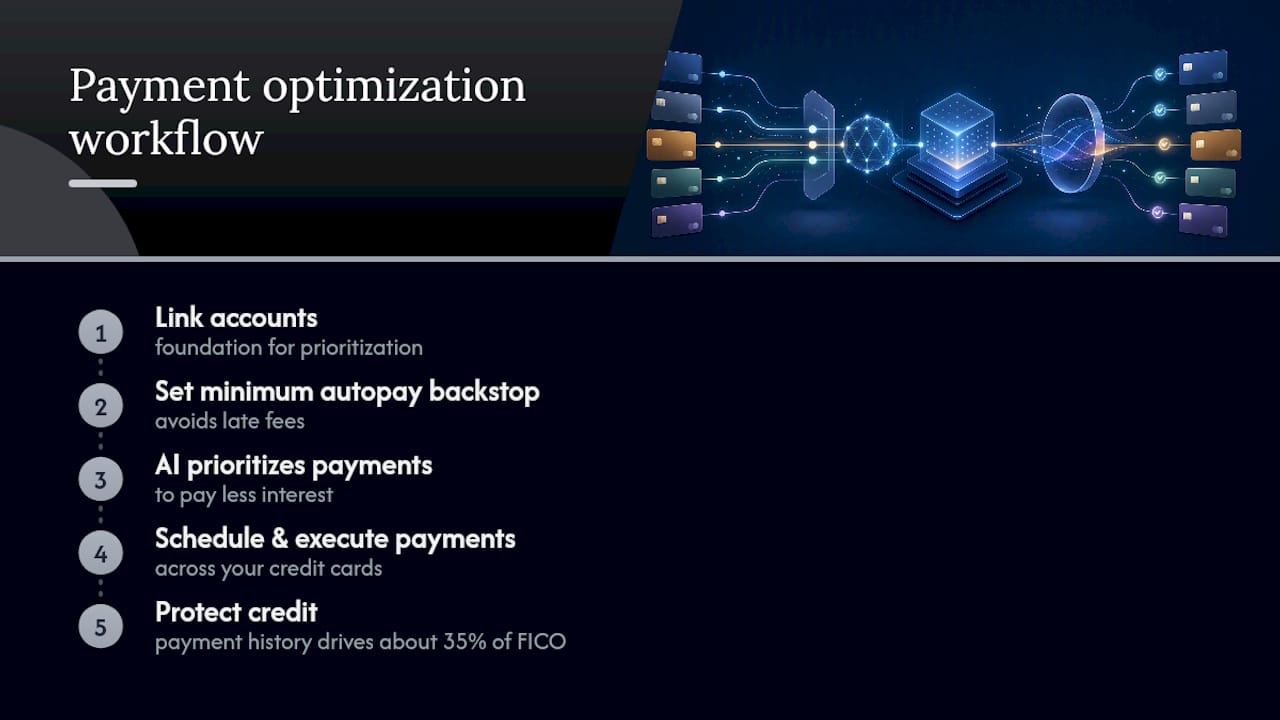
An automated payment optimization workflow uses AI to prioritize, schedule, and execute payments across your credit cards, so you pay less interest, dodge late fees, and protect your credit. Payment history alone drives about 35% of your FICO score, which is why the fastest move you can make today is linking your accounts and setting a minimum-payment autopay backstop. Tools like Finja build the prioritization logic on top of that foundation.
Key Takeaways
The most effective automated payment optimization workflow pairs APR or utilization-aware prioritization with a minimum-payment autopay backstop and monthly statement monitoring.
| Point | Details |
|---|---|
| Autopay is a backstop | Always keep minimum-payment autopay on, even when a smarter optimization layer runs on top. |
| Choose avalanche or utilization-aware | Avalanche cuts total interest; utilization-aware prioritization can lift your score faster. |
| Watch statement-close timing | Payments posted before your statement closes lower reported utilization sooner. |
| Set guardrails before automating | Bank-balance buffers, max-transfer caps, and alerts prevent overdrafts and missed anomalies. |
| Finja adds explainable prioritization | Finja weighs APR, utilization, and payment history together and shows why it prioritized each card. |
Table of Contents
- What Is an Automated Payment Optimization Workflow?
- How Do I Set Up an Automated Payment Workflow?
- Why Do Different Payment Strategies Change Your Interest Costs?
- What Guardrails Should Every Automated Workflow Include?
- How Fast Will You See Savings and Credit Score Improvement?
- What Do Automated Payment Tools Cost, and When Should You Skip Them?
- How Does Finja's AI Prioritize Payments Across Your Cards?
- What Regulations Apply to Automated Payment Workflows?
- When I'd Turn Automation On, and How I'd Watch It
- Get Your Payment Optimization Running With Finja
- Sources
What Is an Automated Payment Optimization Workflow?
The formal term for this is credit card payment automation, though most people just call it "letting an app handle my cards." Either way, it's a system that pulls your balances, due dates, and interest rates into one place, then decides which card gets paid first and how much.
Before any of that decision making happens, the workflow needs raw material. Here's what feeds the engine:
- Linked accounts and balances for every card you carry, updated daily
- Statement due dates and minimums, since missing either triggers fees regardless of strategy
- APRs on each card, which determine how much a delayed payment actually costs
- Available bank balance, so the system never schedules a transfer you can't cover
- Rewards constraints, like minimum spend thresholds tied to a bonus category
Three layers sit on top of those inputs. The decision engine weighs APR against utilization to pick a payment order. The execution layer schedules transfers and keeps a minimum-payment autopay backstop running in case anything else fails. The monitoring layer sends alerts, flags anomalies, and relies on bank-grade encryption to keep your linked accounts secure.
How Do I Set Up an Automated Payment Workflow?
You can build this by hand or hand it to a tool, but the underlying steps are identical.
- Inventory every card. Write down APR, credit limit, minimum payment, due date, and typical monthly spend for each one.
- Pick a primary strategy. Avalanche (highest APR first) minimizes total interest. Utilization-aware prioritization targets whichever card is closest to maxed out, even at a lower APR, because utilization affects your score independently of interest paid.
- Set your autopay backstop first. Turn on minimum-payment autopay for every card before anything else. This is the fallback that prevents a 30-day late mark even if your optimization logic hits a snag.
- Schedule extra payments early. Time optimized payments two to three days before the due date so bank transfers clear with room to spare.
- If you're using a tool, link accounts and choose an objective. Set a max transfer cap and a daily spending alert so the system can't move more than you'd approve manually.
- Run a test month. Watch the first three billing cycles closely and adjust your rules once you see how the system actually behaves with your real cash flow.
Pro Tip: Don't set your optimized payment date on the due date itself. Banks can take one to two business days to process a transfer, and a same-day payment that misses the cutoff still counts as late.
Why Do Different Payment Strategies Change Your Interest Costs?
Avalanche and utilization-aware prioritization solve different problems, and the math behind each explains why.
- Avalanche pays minimums everywhere, then throws every spare dollar at the highest-APR card. It minimizes total interest paid over time, full stop.
- Utilization-aware prioritization instead targets whichever card is closest to its limit, since utilization is a separate scoring factor from interest cost.
- A quick sketch: say you carry $3,000 at 24% APR and $1,000 at 18% APR, with the $1,000 balance sitting at 90% of that card's limit. Avalanche pays the $3,000 card down first and saves more in raw interest. Utilization-aware logic pays down the $1,000 card first, dropping that card's utilization from 90% to under 30% in one cycle, which can lift your score faster even though you pay a few extra dollars in interest.
- Timing matters too. Card issuers report your balance as of the statement closing date, not the due date. A payment that posts before your statement closes shows up as lower utilization; one that posts after does not, even if it arrives before the due date.
A well-built algorithm weighs all four variables (APR, minimums, statement-close timing, and any known upcoming large purchase) rather than optimizing for just one.
What Guardrails Should Every Automated Workflow Include?
Automation removes manual effort, not your responsibility to check in. Treat it as a system you supervise, not one you forget.
- Autopay is a backstop, not a substitute for monitoring. CNBC's personal finance coverage recommends reviewing statements monthly even with autopay running.
- Keep a bank-balance buffer and a max-transfer cap so a scheduling error doesn't trigger an overdraft.
- Turn on alerts for every scheduled transfer, failed payment, and unusual merchant charge.
- Use bank-grade encryption and multi-factor authentication on any app with read or write access to your accounts.
- Build a pause rule for known cash-flow disruptions, like a missed paycheck or a job change, so automation doesn't keep firing on autopilot during a rough month.
Pro Tip: Set a recurring 10-minute calendar reminder the day after each statement closes. That's enough time to catch a fraudulent charge or a failed transfer before it snowballs into a missed payment.
How Fast Will You See Savings and Credit Score Improvement?
Payment-history protection is immediate. The moment autopay covers your minimums, you're no longer at risk of a 30-day late mark, which is the single most damaging item that can hit your score.
Utilization improvements move faster than most people expect. Because issuers report balances as of the statement date, a lump payment made before that date can drop your reported utilization within a single billing cycle.
Interest savings build more slowly and depend heavily on your starting point:
- A consumer carrying balances across three or four cards with a wide APR spread (say, 15% to 27%) typically sees the biggest early wins by redirecting extra payments to the highest-rate card first.
- A hypothetical example: someone with $8,000 spread across three cards who commits an extra $200 a month to the highest-APR balance could see a measurable interest reduction within the first two to three cycles, though the exact dollar figure depends on balances, rates, and how much extra cash is available each month.
- Six months in, most of the visible gain comes from compounding: less interest accruing on a shrinking balance means more of each payment goes to principal.
Results vary with your starting balances and how much extra you can consistently allocate, not just which strategy you pick.
What Do Automated Payment Tools Cost, and When Should You Skip Them?
Automation isn't free, and it isn't always the right call.
- Typical costs include app subscription fees, balance-transfer fees if you're consolidating debt, and occasional bank transfer fees. Weigh these against your projected interest savings before committing.
- Behavioral risk is real. Handing payments to an algorithm can quietly reduce your spending awareness, and rewards programs shouldn't be a reason to spend more just because automation makes the bill feel abstract.
- Skip automation, at least for now, if your income is highly irregular, you have a major purchase coming that needs manual timing, or you're chasing a rewards bonus that requires precise manual spend control.
- Quick check: if your APR spread across cards is more than a few points and your income is steady, automate. If either isn't true, wait or automate only the minimum-payment backstop.
How Does Finja's AI Prioritize Payments Across Your Cards?
Finja's decision model looks at APR, current utilization, and payment-history risk together, rather than optimizing for a single variable in isolation. It doesn't just chase the highest interest rate. It also checks whether a card is creeping toward a utilization threshold that could hurt your score even at a lower APR.
- Sample scenario: a user with three cards, balances of $2,500 at 26% APR, $4,000 at 19% APR, and $1,200 at 22% APR, might see Finja recommend extra payments toward the $2,500 card first, both for its rate and because it's sitting near 70% utilization.
- Explainability matters. Finja shows you why a card was prioritized and an estimate of dollars saved, so the recommendation isn't a black box you're asked to trust blindly.
- You can adjust preferences if your goal shifts from minimizing interest to protecting your score ahead of a mortgage application, for example.
- Security commitments include encrypted bank connections and limited permissions on linked accounts, consistent with the guardrails described earlier in this piece.
Pro Tip: If you're applying for a major loan in the next six months, tell your optimization tool to prioritize utilization over raw interest savings. A lower reported balance matters more to underwriters than a few dollars of interest.
What Regulations Apply to Automated Payment Workflows?
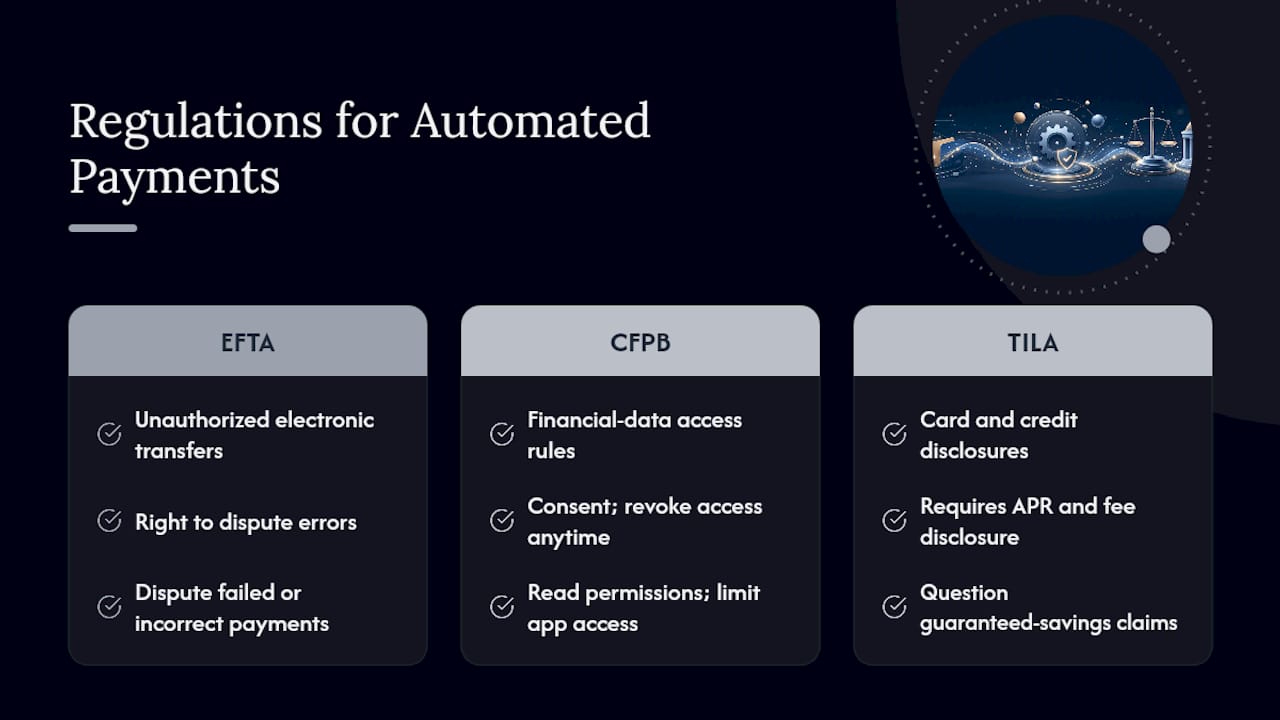
Automated payment tools that connect to your bank accounts operate under the same consumer protection framework as any other financial app. The Electronic Fund Transfer Act governs unauthorized electronic transfers and gives you the right to dispute errors, which matters if a scheduled payment fails or an automation rule fires incorrectly.
Apps that pull account data typically rely on open banking connections regulated under evolving Consumer Financial Protection Bureau rules on financial data access, which require that you consent to data sharing and can revoke that access at any time. Read the permissions screen before linking an account. A workflow that only needs read access to check balances shouldn't also request the ability to move money without a clear, separate authorization step.
Card issuers themselves remain bound by the Truth in Lending Act, which requires clear disclosure of APRs, fees, and how payments are applied to balances. An automation tool doesn't change those disclosure obligations. It just acts on the numbers the issuer already reports. If a tool's marketing implies it can guarantee a specific interest savings or credit score outcome, treat that claim skeptically. Legitimate providers describe expected ranges and give you explainability into recommendations rather than promises.
When I'd Turn Automation On, and How I'd Watch It
I'd automate the moment I had more than two cards with different due dates, but I'd never treat it as fully hands off. A monthly statement review, alerts for every transfer, and a calendar check a few days before any large scheduled payment cost almost nothing and catch almost everything.
I'd also pause new card applications while automation runs. Adding accounts mid-stream complicates the rules you just built, and pairing automation with an actual spending plan is what keeps the whole system honest.
Get Your Payment Optimization Running With Finja
If you've been managing due dates in a notes app or your head, the gap between that and an AI-driven workflow is bigger than it looks on paper. Finja links your cards, applies APR and utilization-aware prioritization automatically, and keeps a minimum-payment autopay backstop running underneath everything else, so a missed manual step never turns into a late fee.
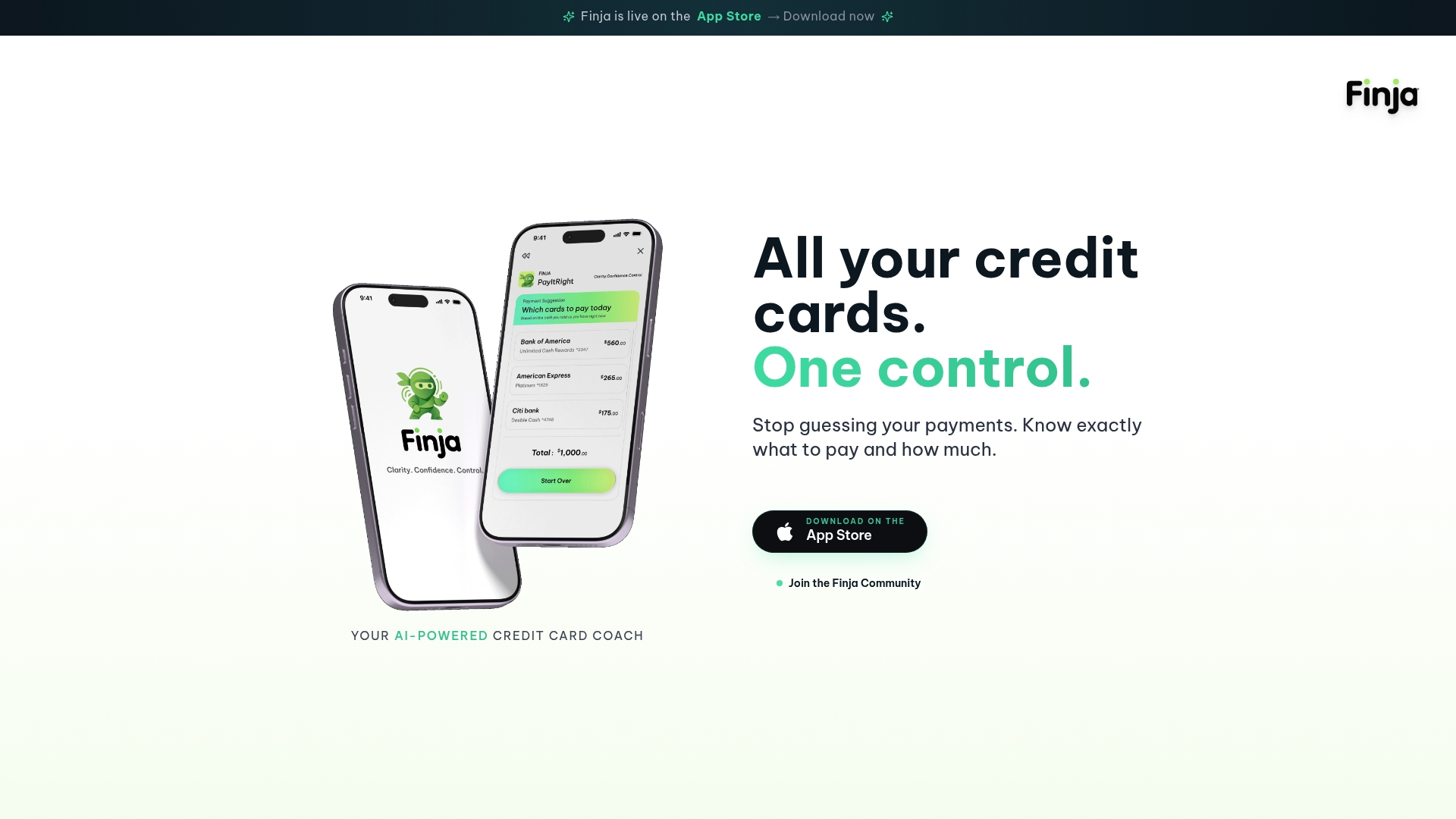
You'll see which card Finja recommends paying down first and roughly how much that saves in interest, not a black-box recommendation you have to trust blindly. For monitoring, pairing it with fraud alerts and expense-tracking habits gives you a fuller picture of your cash flow before transfers go out. Finja operates on a subscription model with a trial period, and the first month is really about calibration: expect to fine-tune your optimization objective and safeguards as the system learns your real spending pattern. Start by linking your accounts on Finja and setting your optimization objective for the first billing cycle.
Sources
- Should I Automate My Credit Card Payment?
- How to Maximize Credit Card Rewards Without Debt | Kiplinger
- Creditcards
- How automatic payments help credit score | Chase