
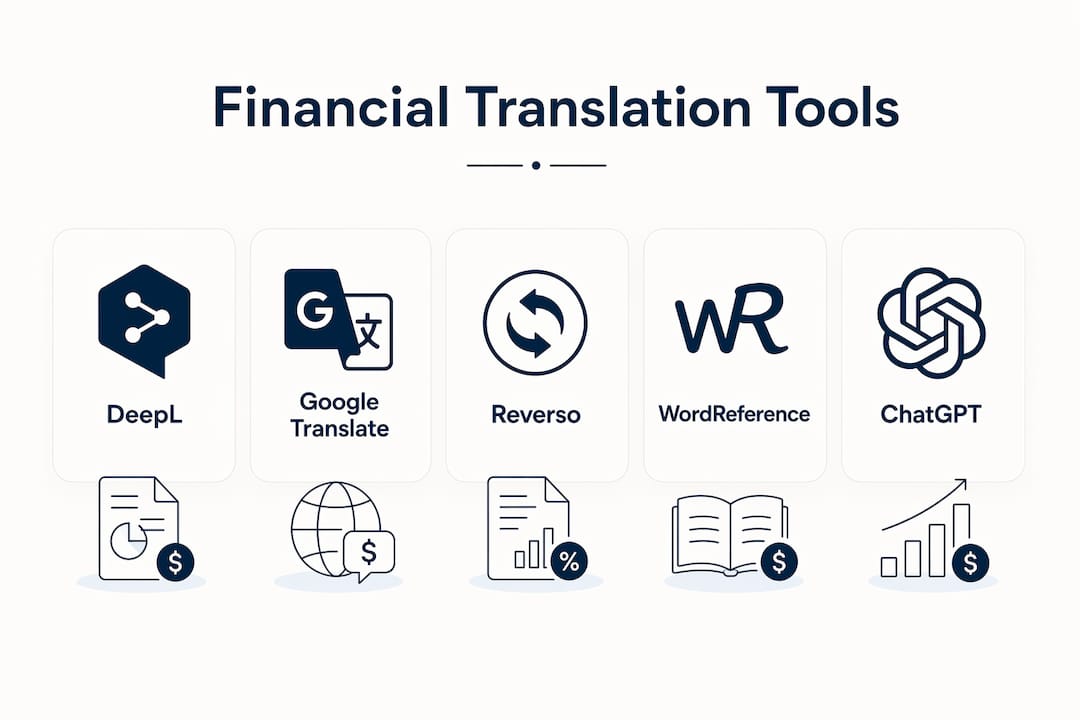
For finance-focused translation needs, DeepL is the top overall pick, with Google Translate, Reverso, WordReference, Cambridge Dictionary, and ChatGPT rounding out the shortlist depending on your use case.
Here is why each made the cut:
- DeepL handles document upload with layout preservation, supports custom glossaries, and offers enterprise-grade privacy controls — the strongest combination for translating credit card statements or financial disclosures.
- Google Translate is the fastest free option for quick-check lookups across 100+ languages, though it lacks glossary support.
- Reverso excels at showing real-world usage examples and contextual phrase matches, useful for verifying how a financial term actually appears in native text.
- WordReference and Cambridge Dictionary are the go-to references for precise definitions and usage notes when a single word's meaning carries legal weight.
- ChatGPT is best for polishing tone in financial communications — rewriting a translated notice so it reads naturally in English, not just correctly.
- Collins Dictionary and Linguee fill the gap between pure translation and reference lookup, while dict.cc and Polyngo serve niche language pairs and context-rich outputs.
TL;DR: For sensitive financial documents, use DeepL with a custom glossary. For quick lookups, Google Translate or WordReference. For tone polishing, ChatGPT.
Table of Contents
- What features actually matter for financial translations?
- Which tool should you actually use?
- How do you pick the right tool for your situation?
- Advanced options for professionals and teams
- How can you test translation quality before trusting it?
- Key Takeaways
- A practical note on getting this right
- Useful sources and where to learn more
What features actually matter for financial translations?
When the text involves dollar amounts, fee disclosures, or credit terms, the stakes for a mistranslation are real. The table below maps the dimensions that matter most.

| Tool | Best for | Accuracy / context | Document translation | Custom glossaries | API / enterprise | Pricing | Mobile / offline | Privacy / data handling |
|---|---|---|---|---|---|---|---|---|
| DeepL | Polished document translation | Excellent; tone control | Yes, preserves formatting | Yes (paid) | Yes, enterprise API | Free tier; paid plans | Mobile app; no offline | GDPR-compliant; EU servers |
| Google Translate | Fast free lookups | Good; weaker on nuance | Basic (Google Docs) | No | Yes, Cloud API | Free; API pay-per-use | Mobile app; offline packs | Google data policies apply |
| Reverso | Phrase/usage verification | Strong contextual examples | No | No | Limited | Free; premium available | Mobile app | Standard; EU-based |
| WordReference | Single-word definitions | Strong; forum-backed | No | No | No | Free | Mobile app | Minimal data collection |
| Cambridge Dictionary | Authoritative definitions | Authoritative; register-tagged | No | No | No | Free | Mobile app | Minimal |
| Collins Dictionary | British/American register | Strong; usage notes | No | No | No | Free | Mobile app | Minimal |
| Linguee | Bilingual example lookup | Real-world sentence pairs | No | No | No | Free | Mobile app | Standard |
| dict.cc | Niche language pairs | Community-sourced | No | No | No | Free | Mobile app; offline | Minimal |
| ChatGPT | Tone polishing / rewrites | Excellent for fluency | Paste-in only | Via prompt | API (OpenAI) | Free; Plus at $20/mo | Mobile app | OpenAI data policies apply |
Why does each column matter for financial work? Document translation with layout preservation means your statement's table structure and decimal formatting survive the conversion. Custom glossaries lock in terms like "minimum payment due" or "annual percentage rate" so they never get paraphrased. API access lets you automate translation inside a workflow rather than copy-pasting. And privacy documentation tells you whether your client's account data is being logged and where.
Pro Tip: When translating any document that contains dollar amounts or legal disclosures, enable a custom glossary before you run the translation. A single swapped term — "credit" rendered as "loan" — can change the meaning of a disclosure entirely.
Which tool should you actually use?
DeepL
DeepL is the strongest choice for anyone translating financial documents. It preserves document formatting through Word, PDF, and PowerPoint uploads, supports custom glossaries on paid plans, and stores data on EU servers with GDPR documentation available. The free tier handles short texts well; the paid tier unlocks glossaries and higher document limits. The one limitation: it covers 31 languages, so for less common pairs, you will need a backup.
Google Translate
Google Translate covers more languages than any other tool on this list and is genuinely useful for a fast first-pass read of a foreign-language credit-card notice. It integrates with Google Docs for basic document translation, though it does not preserve complex table formatting. No glossary support, and Google's data handling policies mean you should avoid pasting sensitive account numbers or full statements into it.
Reverso
Reverso's strength is its contextual example engine — it shows you how a phrase appears in real published documents, not just a dictionary definition. For verifying whether a financial term translates correctly in context, that is genuinely useful. No document upload, no glossaries, but the usage examples often catch errors that a straight translation would miss.
WordReference
WordReference is the reference librarian of this list: deep, precise, and backed by active user forums where native speakers debate edge cases. For a single financial term where the exact meaning matters — "overdraft," "escrow," "lien" — WordReference often surfaces nuances that automated translators flatten. Free, no document support, no API.
Cambridge Dictionary and Collins Dictionary
Both are authoritative monolingual and bilingual references. Cambridge tags entries by register (formal, informal, legal), which helps when you need to know whether a translated term fits a regulatory document or a consumer-facing notice. Collins adds strong British/American usage distinctions. Neither translates documents, but both are the right final check before you sign off on a translated disclosure.
Linguee
Linguee shows bilingual sentence pairs drawn from real published sources — legal texts, corporate filings, EU documents. For financial and legal language, that sourcing matters. If you want to see how "annual percentage yield" has been translated in actual regulatory filings, Linguee is faster than a web search.
dict.cc
dict.cc is a community-built dictionary covering German and a wide range of other languages with unusual depth in technical and niche vocabulary. It has an offline mobile app, which makes it useful when you need a secure, no-network lookup. Less polished than the others, but the community annotations often flag regional or technical usage that automated tools miss.
ChatGPT
ChatGPT is not a document translator in the traditional sense, but it is the best tool for tone adjustment and naturalization. Paste in a machine-translated paragraph and ask it to rewrite for a U.S. consumer audience — the result is usually more natural than what DeepL alone produces. For finance teams drafting translated customer communications, that polishing step is where ChatGPT earns its place. Be cautious: do not paste full account statements with sensitive data into the standard interface.
Pro Tip: Use DeepL for the first-pass document translation, then paste the output into ChatGPT with a prompt like "rewrite this for a U.S. consumer audience, keeping all financial terms exact." You get document fidelity from one tool and natural fluency from the other.
How do you pick the right tool for your situation?
- Assess sensitivity first. If the document contains account numbers, SSNs, or full financial statements, use a tool with clear data-handling documentation or an offline option.
- Check glossary support. For recurring financial terms, a custom glossary prevents inconsistency across multiple documents.
- Confirm document format support. If you need the translated output to match the original layout — tables, columns, pagination — only a few tools handle this reliably.
- Match price to volume. Occasional lookups fit the free tier of most tools. Regular document translation justifies a paid subscription with higher limits.
- Consider mobile and offline needs. Traveling or working in a secure environment without internet? dict.cc's offline app or LingoPad cover that gap.
- Factor in API needs. If you want to automate translation inside a financial workflow, you need a tool with a documented API and enterprise terms.
Casual consumer translating a foreign credit-card statement once: Google Translate for a quick read, WordReference to verify key terms.
Small-business owner reviewing a merchant agreement: DeepL with a glossary for the document, Cambridge Dictionary for term verification.
Finance professional producing translated disclosures regularly: DeepL enterprise with translation memory, ChatGPT for tone review, and an offline dictionary for sensitive spot-checks.
Pro Tip: Run a 3-step trial before committing to any tool: paste a sample financial paragraph, add three glossary entries (if the tool supports it), then compare the output side-by-side with a native speaker's version. That test surfaces most accuracy and formatting problems in under 10 minutes.
Advanced options for professionals and teams
For teams handling financial translations at volume, the features that matter most are translation memory, custom glossaries, and enterprise security — not raw language breadth.
Translation memory stores previously approved translations so the same sentence is never translated twice differently. Over a large document set, this cuts post-editing time and keeps regulatory language consistent. DeepL Pro and similar enterprise platforms offer this alongside GDPR-compliant hosting.
LLM-based workflows work best in a two-stage setup: a document engine handles the structured translation, and a conversational LLM handles tone review. Using ChatGPT alone for a 20-page financial disclosure is slower and less consistent than using it as a final-pass tool after a dedicated engine.
Offline tools like LingoPad remain the safest option for extremely sensitive content because they guarantee no external data transmission and support custom wordlists for technical fields.
| Feature | Why it matters for finance teams |
|---|---|
| Translation memory | Prevents inconsistent rendering of regulatory terms across documents |
| Custom glossaries | Locks financial jargon to approved translations |
| GDPR / data residency | Required for EU-facing content; reduces legal exposure |
| — | Signals audited security controls for enterprise procurement |
| API access | Enables automated translation pipelines inside existing workflows |
| Offline capability | Eliminates data-transmission risk for highly sensitive content |
Pro Tip: Before signing an enterprise contract, ask the vendor for their data-processing agreement and server-location documentation. GDPR compliance claimed on a marketing page is not the same as a signed DPA with EU data residency confirmed.
How can you test translation quality before trusting it?
Three tests, 15 minutes total, will tell you most of what you need to know.
- Glossary test. Add three finance-specific terms ("minimum payment due," "grace period," "annual percentage rate") to the tool's glossary if it supports one. Run a short paragraph containing all three and verify each appears exactly as entered. If any gets paraphrased, the tool is not reliable for regulated language.
- Context test. Translate a 2–3 sentence paragraph that contains a financial idiom or a U.S.-specific term ("checking account," "routing number"). Read the output aloud. Does it sound like something a native speaker would write, or does it read like a word-for-word swap? Context-rich tools that show alternative translations with usage notes make this test easier to evaluate.
- Fidelity test. Upload a one-page statement and check whether the table structure, decimal formatting, and column alignment survive. A tool that scrambles a table or converts "1,234.56" to "1.234,56" is not safe for financial documents.
Red flags that mean you need human review:
- Swapped debit/credit terminology
- Numeric punctuation converted to a different regional standard
- Legal phrases rendered as colloquial equivalents
- Glossary entries overridden by the engine's default output
- Inconsistent rendering of the same term within a single document
Pro Tip: Always run the fidelity test on a document that contains both a table and a numbered list. Those two elements break more often than plain paragraphs and reveal layout-preservation problems quickly.
Key Takeaways
DeepL with a custom glossary is the strongest single choice for U.S. consumers translating financial documents where accuracy, layout, and data privacy all matter.
| Point | Details |
|---|---|
| Top pick for documents | DeepL preserves formatting, supports custom glossaries, and offers GDPR-compliant data handling. |
| Best free quick-check | Google Translate covers 100+ languages instantly; avoid pasting sensitive account data. |
| Phrase and usage verification | Reverso and Linguee show real-world sentence pairs that catch contextually wrong translations. |
| Tone polishing | ChatGPT rewrites machine-translated text for natural U.S. consumer readability. |
| Offline and secure lookups | dict.cc and LingoPad work without a network connection, eliminating data-transmission risk. |
A practical note on getting this right
The tools on this list are genuinely good. But the mistake most people make is picking one tool and trusting it completely. For financial content, that is the wrong approach. A two-tool workflow — a document engine for structure and an LLM for tone — consistently outperforms either alone.
If you are managing multiple credit cards and dealing with translated statements, fee notices, or foreign merchant agreements, translation accuracy feeds directly into financial decisions. Getting a term wrong in a disclosure is not just a language problem. Finja's AI credit management guides cover how AI-driven tools fit into that broader workflow, and the Finja platform itself is built around helping U.S. consumers make smarter payment decisions — which starts with understanding exactly what a document says.
Start with DeepL for your next financial document. Add three glossary entries. Run the fidelity test. Then decide whether you need the enterprise tier or whether the free version covers your volume.
Useful sources and where to learn more
For technical reference and product documentation, these sources are worth bookmarking:
- DeepL Translator — product documentation for glossaries, document upload, and enterprise pricing; the primary reference for accuracy and privacy claims.
- ChatGPT Translate — OpenAI's translation feature page covering supported languages and tone-control capabilities.
- Reverso — contextual translation and phrase lookup with real-world usage examples.
- OMR Reviews — PONS Translate alternatives — independent review aggregator covering enterprise features, GDPR compliance, and translation memory across dozens of tools; best for comparing enterprise options.
- Polyngo Translate — useful for understanding how context-rich outputs with alternative translations and usage notes reduce contextually wrong word choices.
- LingoPad — free offline Windows dictionary with custom wordlist support; the reference for secure, no-network translation workflows.
- Finja blog: context-aware translation tools — analysis of context-aware alternatives relevant to financial translation workflows.
- Finja blog: dictionary alternatives — covers offline and online tradeoffs for dictionary tools.
- AlphaIQ: alternative AI tools for finance — partner content reviewing AI tools in financial modeling and workflow contexts.
For quick product comparison, start with OMR Reviews and DeepL's own documentation. For technical integration and API reference, go directly to the vendor's developer docs.